 Ironstone
To sell AI websites to local businesses, you sell the finished website, not the AI. Pick one business type in one town. Find businesses whose website is missing, broken or out of date. Have AI build each one a finished website, then show it to the owner on a phone. When they say yes, they approve it and pay you every month at your price. Then you look after them. This guide walks through each step, with screens from the app we built for it.
Key facts
- In a 2025 survey of more than 1,000 people reported by CX Dive, 83% of US consumers had used a search engine to find a local business in the past month. 1
- In Rio SEO's 2025 Local Search Consumer Behavior Study, 53% of US consumers said they're unlikely to visit a business whose online listing has wrong information. 2
- In Clutch's 2025 survey, 17% of small businesses still had no website, and over a third of those said a website isn't relevant to them. 3
- Of 460 local businesses that Lead finder, our business lookup tool, checked for partners between October 19 and November 6, 2026, in 6 towns and 30 business types, 85 had a gap an owner can see, such as no website it could find or an outdated one. 5
What it means to sell AI websites to local businesses
Selling AI websites to local businesses means you build a finished website for a business first, with AI, then show it to the owner and sell it to them as a monthly service. A plumber or a bakery owner never asks for "an AI website": they want the phone to ring, customers to find the hours, and to look as real online as they do on the street. Building takes minutes instead of days, so you can build first and ask second. The owner judges a finished website, not a promise.

Let's be honest. Owners can build a basic site themselves, and many get offers from strangers. What they rarely get is someone local who already made their website, shows it to them on a phone and looks after it every month. That's the service you sell. Not the code, not the AI.
In 2026, AI builds a finished website in minutes. The build stopped being the hard part. What still takes a person is choosing the right businesses, showing the site to an owner, asking for the yes and looking after the client every month. That's why, for you, the sale is the skill now.
Why local businesses still need websites
Customers look a business up before they call or visit. They check the hours and the phone number, and whether the business looks real. A business with no website, or one that breaks on a phone, loses some of them before they ever call. Three survey figures show how this plays out.
of US consumers used a search engine to find a local business in the past month, in a large recent survey. Customers look a business up before they call or visit. 1
of US consumers say they're unlikely to visit a business whose online listing has wrong information, in a recent local search study. Wrong hours or a wrong phone number online can cost the business that visit. 2
of small businesses in Clutch's 2025 survey still had no website. Over a third of those say a website isn't relevant to them, and a finished one can answer that. 3
How to sell AI websites to local businesses in 10 steps
The ten steps below follow one business from the first search to the client who pays you every month. Each step shows the screen in our app where it happens, using fictional businesses. You can follow along on a phone and a laptop.
1. Pick one business type and one town
One business type means the same questions every time: hours, services, booking, menu. You hear the same objections and build the same pages. By the fifth plumber, you know what plumbers' customers look for. You also know what the owner will ask before they ask it. Each one teaches you something for the next. That makes every visit shorter and every website better than the last.
Here's how to choose a type. Customers should search for it before they call or visit. The business should have a phone number and a place or an area it serves. You should be able to say in one sentence what a website does for it: estimate requests for a roofer, the menu and hours for a restaurant, bookings for a salon. Pick your own town or the next one, so you can visit and "local" is true.
Here's the twist. Before you choose, search the type and your town in Google Maps. Count how many of the first twenty listings have no Website button. The type with the biggest number of gaps in your town is your first type. That holds even if it isn't the one you'd have guessed.
- Customers search for this type before they call or visit.
- The businesses list a phone number and opening hours.
- You can say in one sentence what a website does.
- At least five of the first twenty listings show no website.
- You could visit a handful of them in one afternoon.
You'll know this step worked when you can name your type and town in one sentence. You'll also have a short list of real businesses of that type to look at this week.
Tip
Start narrow, with one type in one town. When you add a second business type, it reuses everything you learned on the first.
2. Find businesses that need a website
Look for a gap the owner can see when you point at it. Some businesses have no website at all. Some have only a social profile or a delivery listing. Others have a site that won't open or shows a security warning. Some own a domain that's parked. And some have a site that's years old and hard to use on a phone.
Lead finder, our business lookup tool, searches a business type in a town. It labels each business by what it found: No website found, Social listing only, Website won't open or Outdated website. Under each label is a line you can say to the owner, so you know what to point at before you call.
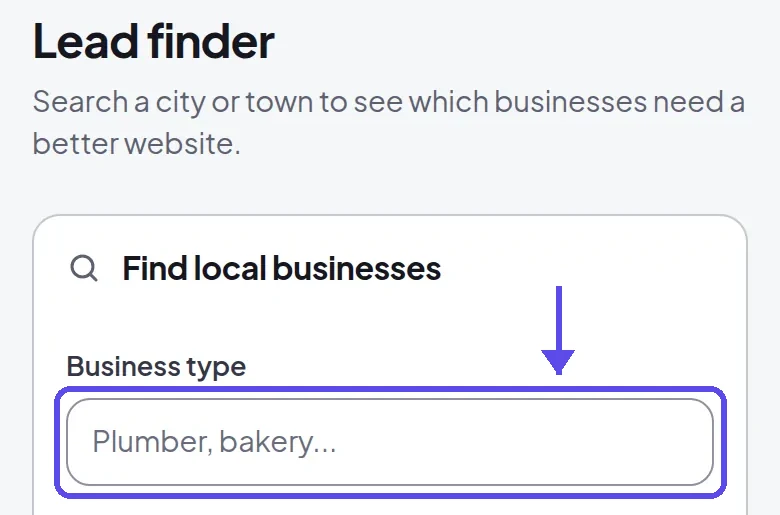
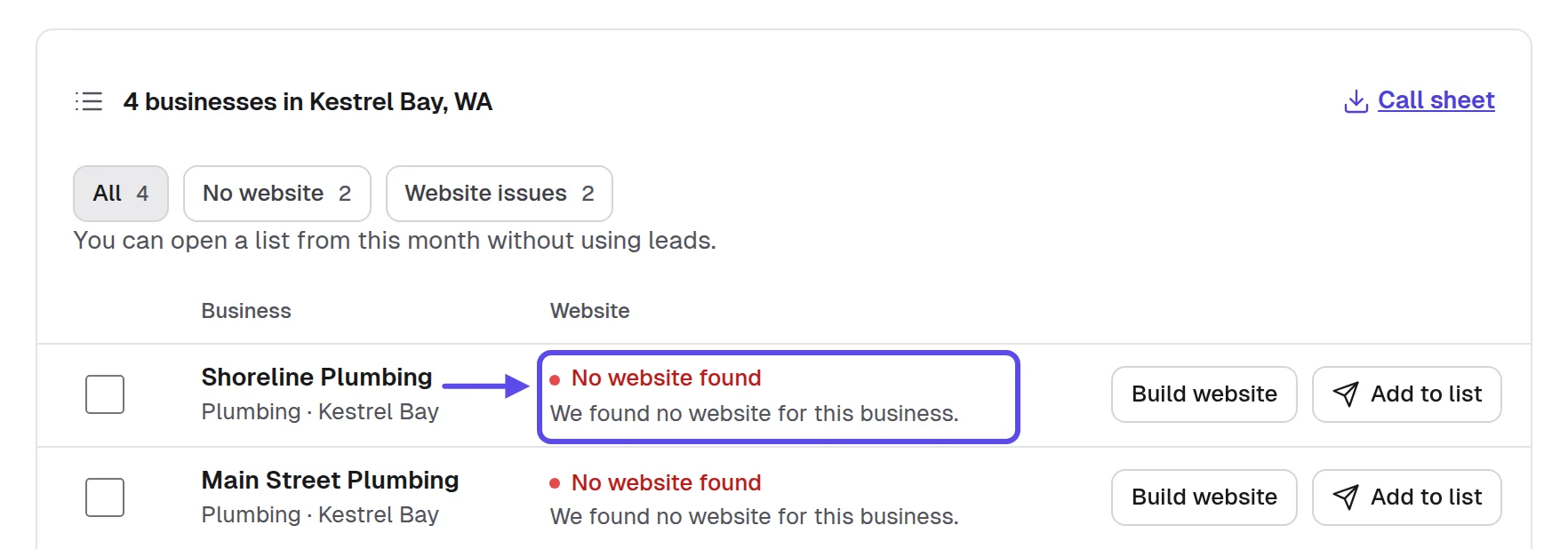
Keep the list short. Ten businesses of one type are enough for a first week. A longer list means businesses you never look at with care. You'd rather know ten owners' gaps well than skim a long list and remember none of it.
Without our app, you can do this by hand. Search "[type] near [town]" in Google Maps and open each listing. No Website button, or a link to a social page only, is a gap. Copy the name, the phone number and what you found into a sheet in Google Sheets. Add a column for the date you checked. Ten rows are a week of work.
- No Website button on the listing.
- The website link opens a social page only.
- The site shows a security warning or won't open.
- The domain shows a parking page or an ad page.
- The site is hard to read on a phone.
It worked when you have ten businesses of one type. Each one has a gap you'd point to when you show the owner. Write that gap down next to the name, in a few plain words.
Tip
Open each result on your own phone before you build. If you can't find the hours or the call button in ten seconds, neither can their customers.
3. Check each business before you build
Not every business you find is worth a visit this week. Look for signs that it's active and taking customers: recent reviews, current opening hours and someone who answers the phone. Skip chains and franchises, because head office decides. Skip any site that credits a web designer in its footer, because someone already looks after it. You're looking for an owner who decides for themselves.
An owner who can see the gap for themselves is the easiest conversation you'll have. You don't have to convince them of anything. A business with a site that works well isn't your customer this month. Leave it and move on to the next name.
You can check an old site by hand. Paste its address into the Wayback Machine to see how long it has looked the same. Then run it through PageSpeed Insights to see how it does on a phone. A site that hasn't changed in years and scores poorly on a phone gives you something concrete to show the owner. Take a screenshot of both.
- Reviews from the last few months.
- Opening hours that look current.
- A phone number that someone answers.
- Not a chain or a franchise.
- A gap the owner can see on their own phone.
Tip
A call at a quiet hour tells you more than any search. You learn whether the business is open and who decides.
4. Build a finished website with AI
Designers are told never to build before payment. That's right when a site takes days. But when a site takes a few minutes, built from the business's own listing and current website, building first costs little. And the owner taps through something real instead of hearing a pitch. You're not asking them to imagine a website. You're handing them one.
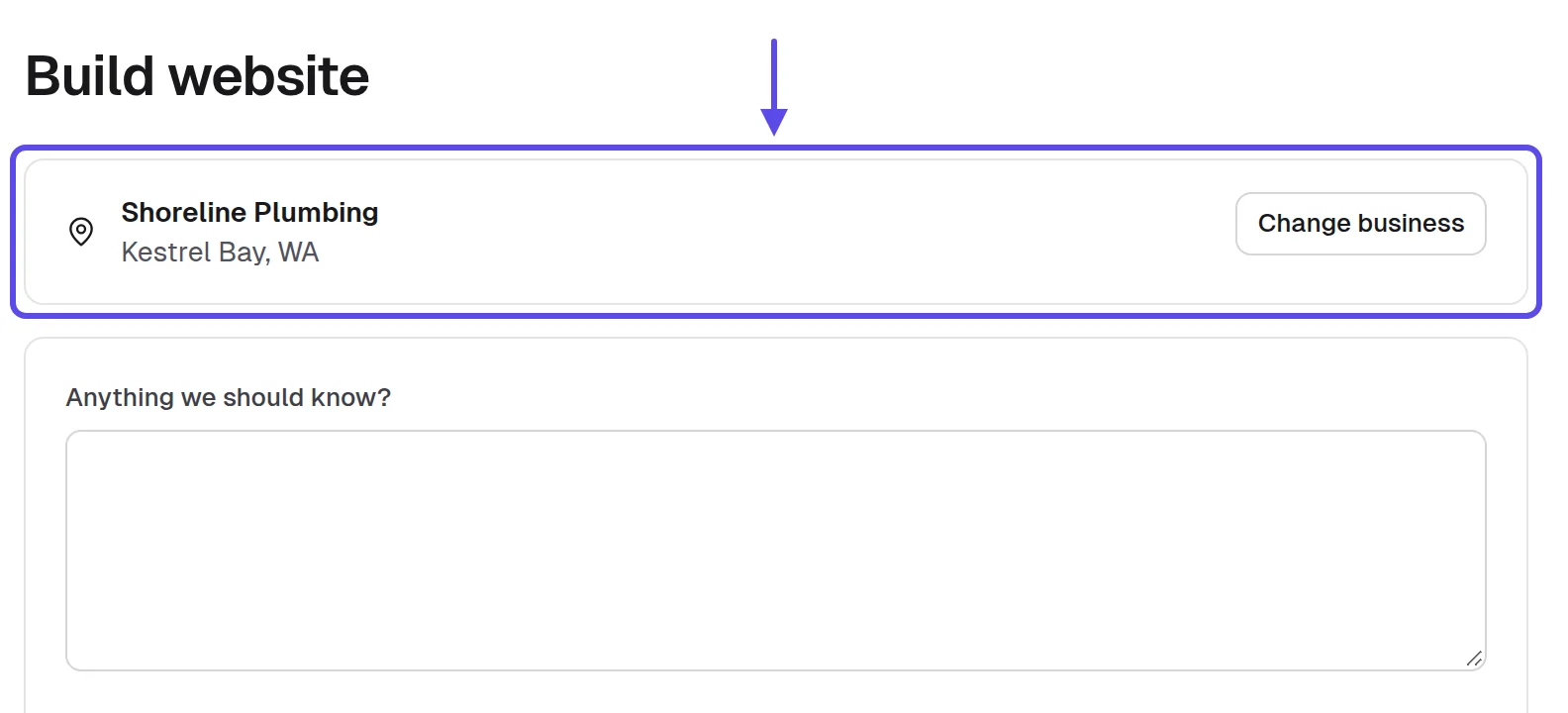
The build brings in the business's public listing and its current website, so you start from real hours, services and photos. On our live service, we ran 18 builds between October 21 and November 3, 2026. Sixteen finished in under three minutes. The slowest took about nine and a half. That speed is why building first, before you ask, makes sense.
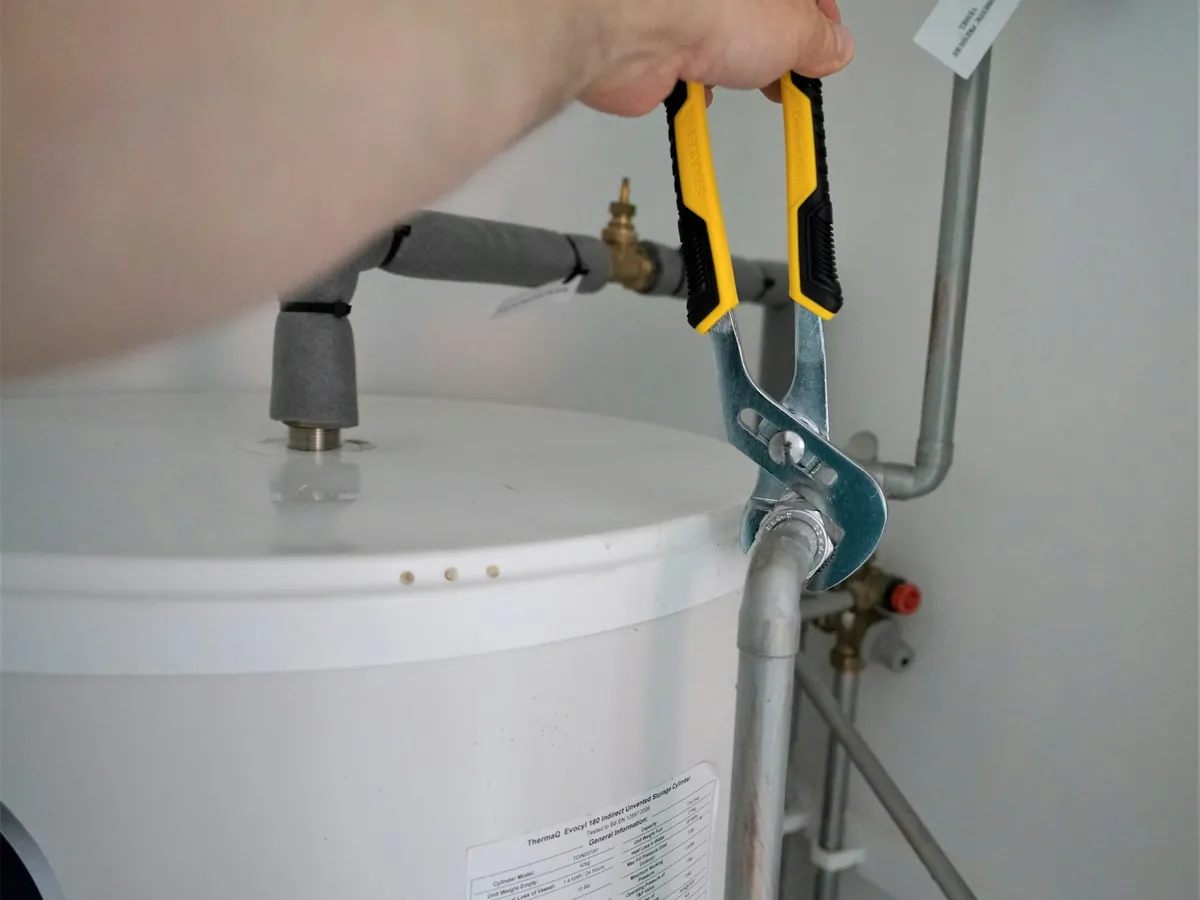
Here's what many people miss: build for the customer the owner wants more of, not for the owner. A plumber wants emergency calls, so the call button belongs at the top. A bakery wants orders before a holiday, so the menu and the order line come first.
- The business name, phone and address are right.
- The opening hours match the listing.
- The services are the ones they offer.
- The call button works from a phone.
- Nothing on the site was made up.
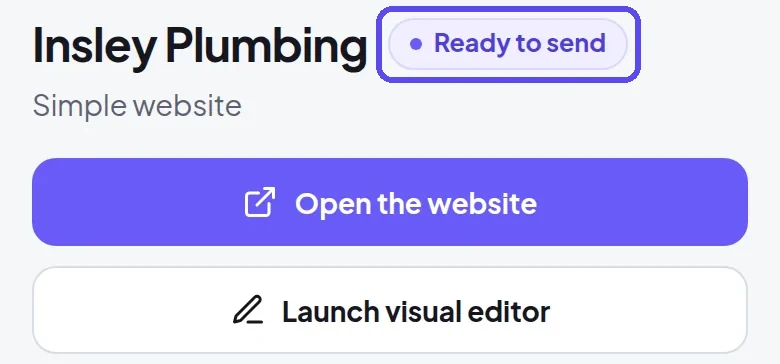
It worked when the website is marked Ready to send. On your own phone, you can call the business and find its hours in ten seconds. If either takes longer, fix it before anyone else sees it.
Tip
Use only what the business published or told you. Never invent reviews, awards or years in business.
5. Check every fact and make it theirs
Before anyone sees it, read every fact against what the business published. The app's check before sending lists what's still missing, such as a phone number or a price. Then open the site on your phone like a customer would. Tap the call button. Find the hours. Look hard at the first screen, because that's what the owner's customers see before anything else.
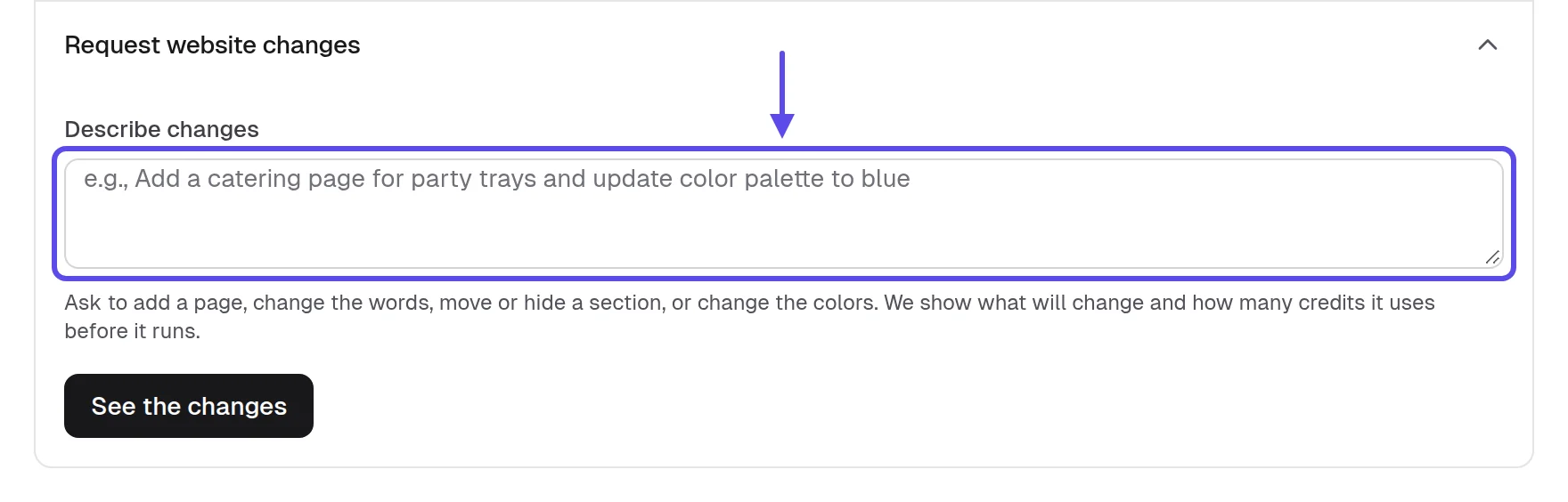
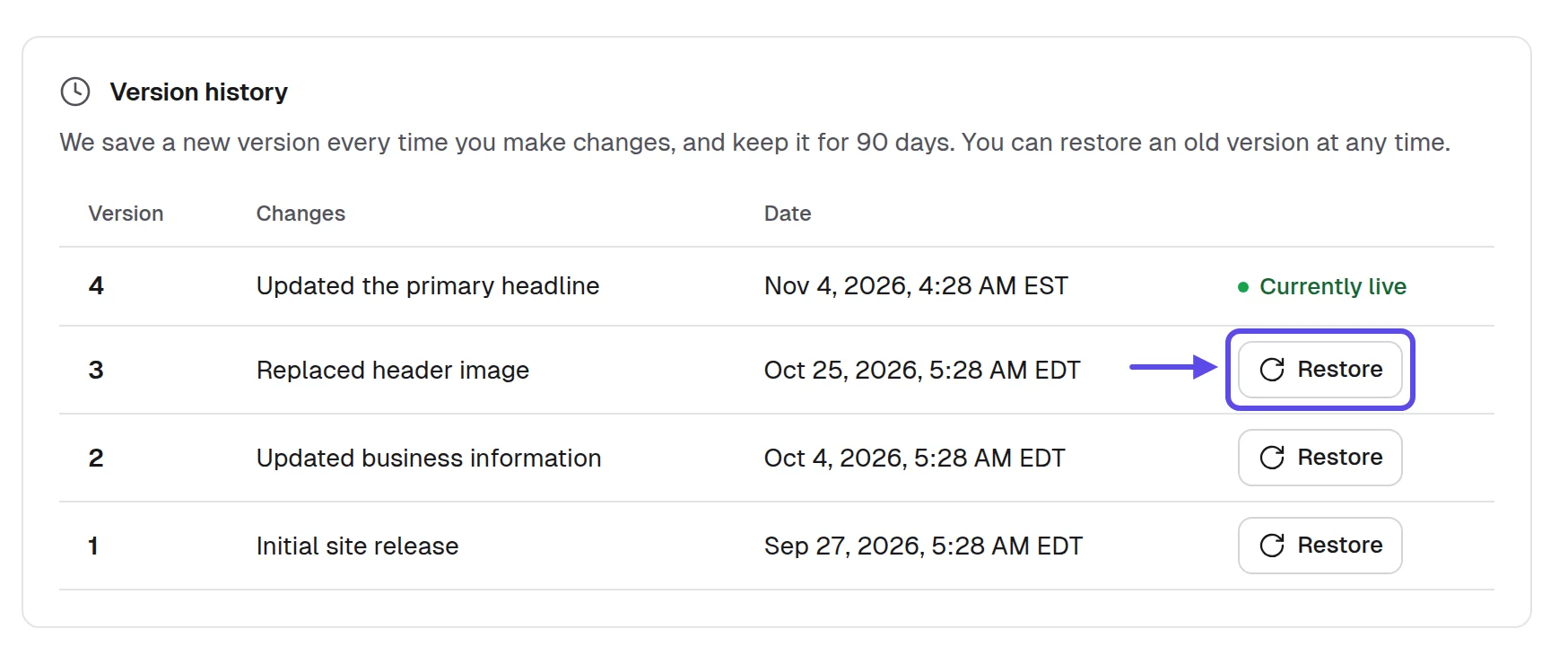
Next, make it look like theirs. Use the owner's own photos if you have them, or the owner can add them later. Ask for any change in plain words, like "move the hours to the top" or "add a catering page." The website updates in a few minutes. Every change is saved as a version, so you can bring back an older one whenever you want.
- Every fact matches what the business published.
- The photos are the owner's or clearly suitable.
- The first screen says what they do and where.
- The contact form reaches you in the Inbox.
- It loads quickly on your own phone.
Tip
Fix what bothers you before the owner sees it. An owner judges the whole site by its worst detail.
6. Show the website the way a customer would
It's best to show it in person or on a short call. Use the owner's own phone if they let you. Scroll from the top, the way a customer would. Owners decide quickly whether it looks like their business, so let the site speak first. Before you go, leave the link so they can look again with their staff or partner.
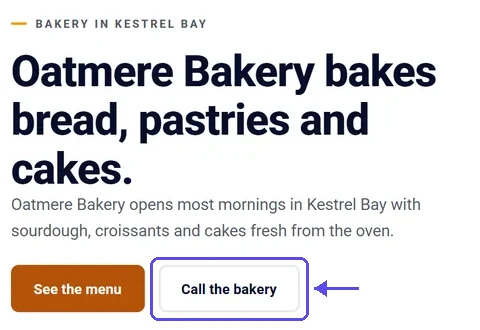
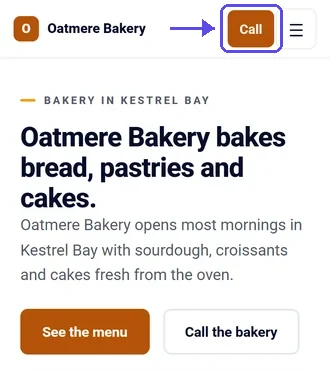
Open with one thing a customer can't do today. Maybe they can't find the hours, call from their phone or see the menu. Then show that same thing working on the new site. Talk about their customers the whole time. Don't talk about design, and don't talk about AI. The owner cares who walks in the door.
Can't meet in person? Record a short screen video with Loom that scrolls their new website on a phone. Say their business name in the first five seconds. Send the video with the link. Owners watch a short video about their own business. Talk to the owner the way you would at the counter.
- Open it on their phone, not yours, if they agree.
- Start with what customers can't do today.
- Show the call button and the hours.
- Leave the link so they can look again.
- Agree when you'll follow up.
What to say first
"I searched for your bakery online and couldn't find your hours, so I built a website that shows them. Can I show it to you on your phone?"
"It's already built, and there's nothing to pay to look at it. If you like it, it can be live this week."
Tip
Follow up once, a few days later, with one short message and the link. One reminder is normal, but many are not.
7. Send it when you can't visit
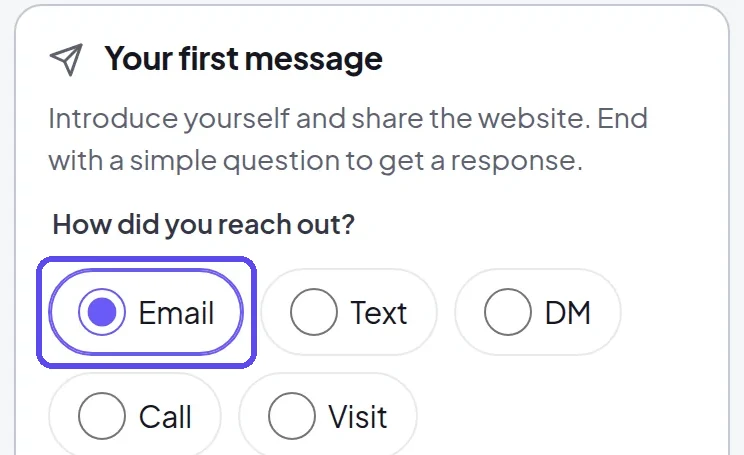
An email or message works if it reads like a letter to one person. That means one business, one short message, the link to their website and an easy way to say no thanks. The app writes a first message in your name. You can send it by email or text, or print a flyer instead. Read it and change anything that doesn't sound like you.
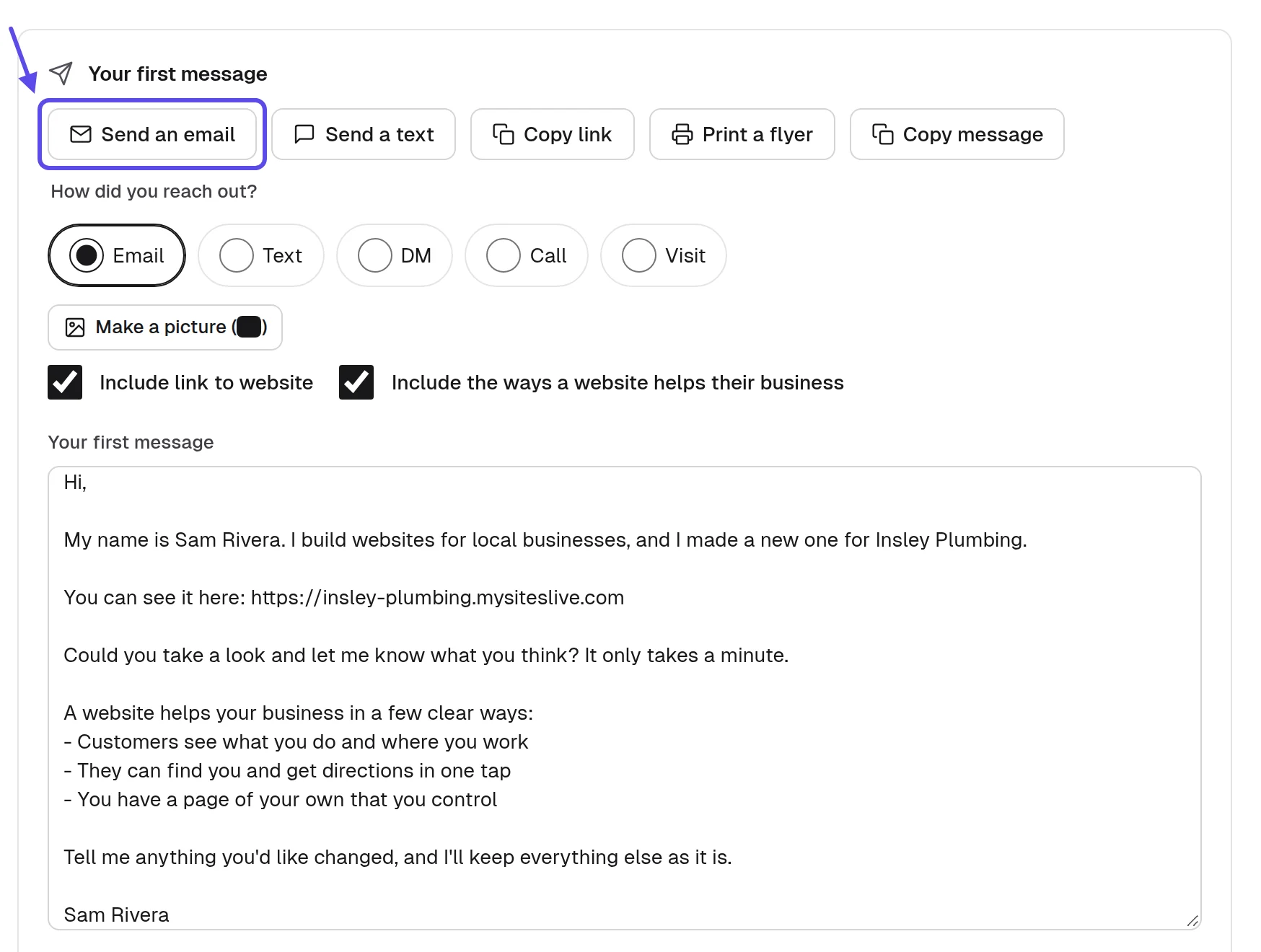
In the United States, the FTC's compliance guide to the CAN-SPAM Act says a commercial email must include your valid physical postal address (a street address, a registered post office box or a registered private mailbox) and a clear way to opt out, and opt-out requests must be honored within 10 business days. Other countries have their own rules. 4
In the app, a business whose site credits a web designer goes to your call sheet, not to email. Every email carries an opt-out line. Follow-ups stop when the business replies, so no owner gets another message after they've answered you.
First email to an owner
Subject: A website made for [Business name]
Hi [Owner name],
I'm [Your full name] from [Your business name]. I looked for [Business name] online and couldn't find your hours, so I built you a website to see.
Here's the link, and it works on a phone: [Website link]
I'm offering you this website: if you want it, I can put it live and look after it every month. I'm happy to show it to you in five minutes.
If you'd rather not hear from me, reply "no thanks" and I won't write again.
[Your full name], [Your business name], [your mailing address]
First text message
Hi, this is [Your full name] from [Your business name], [your phone number], [your address]. I couldn't find [Business name]'s hours online, so I built you a website that shows them. Here's the link: [Website link]. Reply STOP to opt out.
A direct message
Hi, I'm [Your full name] from [Your business name]. I made [Business name] a website because your page doesn't show your hours. Here it is: [Website link]. Would you like me to show you how it works? No pressure either way.
Follow-up after three days
Subject: Re: A website made for [Business name]
I wanted to check whether you saw the website I made for [Business name]. Here's the link again: [Website link]. I'm glad to change anything you'd want different.
If you reply "no thanks," this is the last message you'll get from me.
[Your full name], [Your business name], [your mailing address]
- One business, one message, their own link.
- Your full name and business name in it.
- Your mailing address in every email.
- A clear way to say no thanks.
- One follow-up at most, a few days later.
Tip
One personal message to one business beats a hundred copies of the same one. Owners can tell.
8. Set your price
Owners understand a monthly price better than a big one-time bill. It's easier to say yes to, and easier to keep paying. Your monthly price covers the website, its hosting and the changes they ask for. If businesses in your area expect a one-time setup fee too, add one. You choose both of those numbers yourself. Your price, your profit.
A few things set the price. What do similar services cost locally? What is one new customer worth to that business? Think of a roofer's one job against a café's regulars. What do you include each month? Then boil it down to one number the owner can repeat to someone else. Decide it before the first conversation, not during it.
Your storefront is your own page, with your name, your logo and your prices. It's where a business can ask you for a website, even before you've found them. What you pay us is on our pricing page, so you can work out your own numbers.
Put your price on one page the owner can keep and come back to later. List what's included each month, your setup fee if you charge one, and how to cancel. A clean one-page sheet made in any design app looks professional, and never put a number on it you can't explain in one sentence.

When it sounds expensive
"Can I ask what one new customer is worth to you? If the website brings you one extra customer a month, that covers the monthly price. And you can cancel at any time."
- Decide the monthly price before you meet.
- List what's included every month.
- Decide whether you charge a setup fee.
- Say how the owner can cancel.
- Say the price once, then stop.
Tip
Say the price once, plainly, then stop talking. Let the owner answer first.
9. Get approved and paid
When the owner says yes, you send one approval link. It opens a secure card payment page in your name, with your monthly price and any setup fee. Paying is their approval of the exact website they saw. The date, the time and the version they approved are all kept, so there's never a question later about what they said yes to.
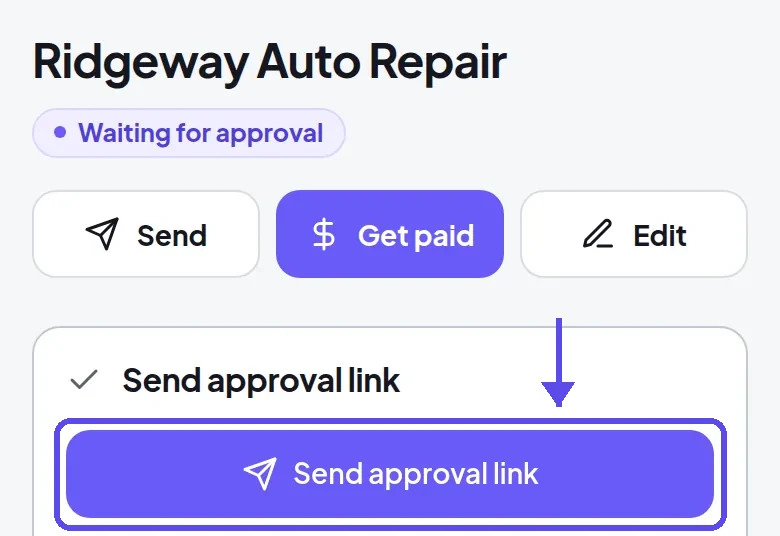
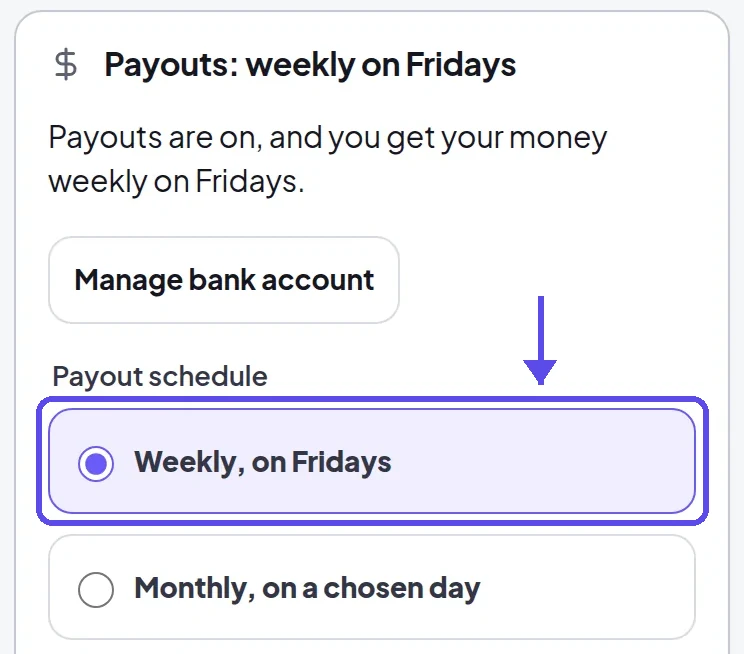
Once it's approved, the website goes live at its address in a few minutes. An owner who already has their own domain connects it in their own login. The login shows one record, the owner adds it at their domain provider, and the domain stays theirs. If they never approve it, the website goes offline 30 days after it was built.
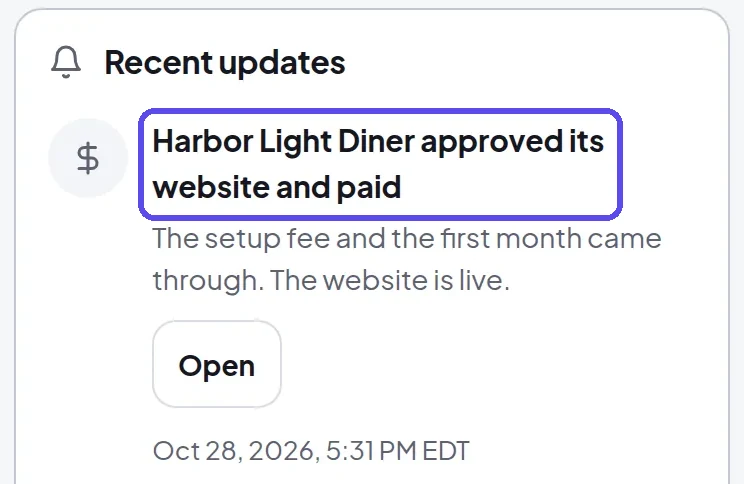
Your money reaches your bank weekly on Fridays, or monthly on a day you choose. You connect your bank once, and payouts follow that schedule from then on. Pick whichever one fits the way you keep track of your own bills.
If the owner wants to talk it over first, send a link from Calendly so they can pick a ten-minute call that suits them. A booked call beats a "let me think about it." At the end of the call, send the approval link.
The approval message
Thanks for today. Here's the link to approve [Business name]'s website: [Approval link]. It shows the website and the monthly price we agreed, and once it's approved, the website goes live.
- Send the link while the yes is fresh.
- The price on the page matches what you said.
- Your bank is connected for payouts.
- Tell the owner when it will be live.
- Check the live address on your phone.
Tip
If the owner is ready, send the approval link while you're still with them. A yes cools by the next day.
10. Look after the client every month
The monthly part is the job, not the build. Owners ask for changes from their own login: new hours, a holiday notice, a new photo. You make those changes in plain words, the same way you built the site. In that login, owners also see their visits, calls and messages, so they can see what the website does for them each month.
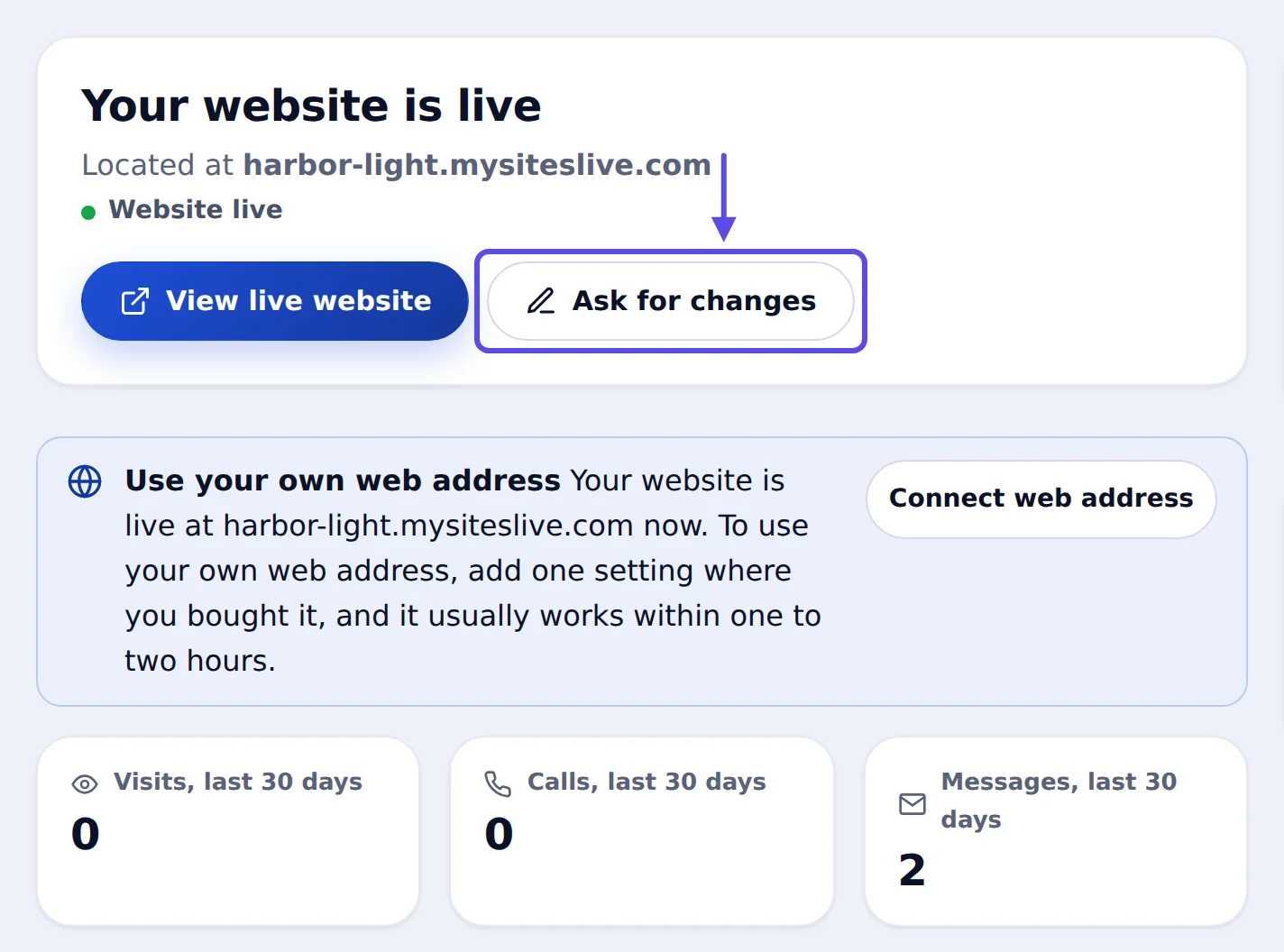
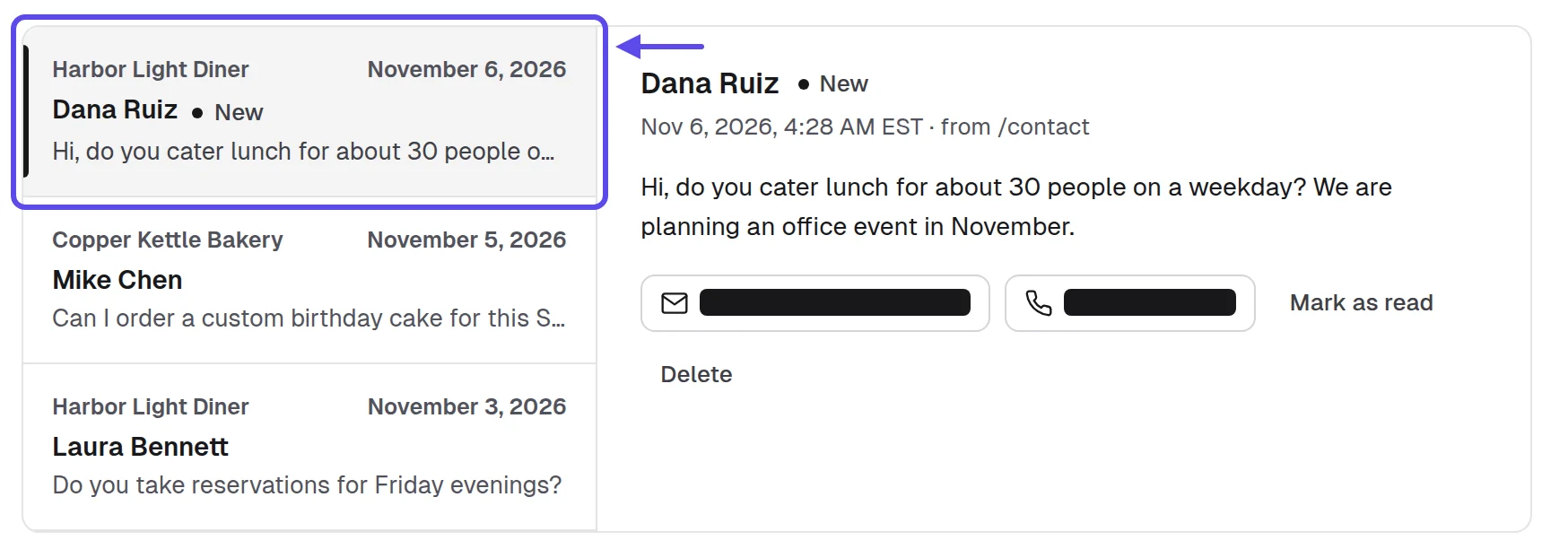
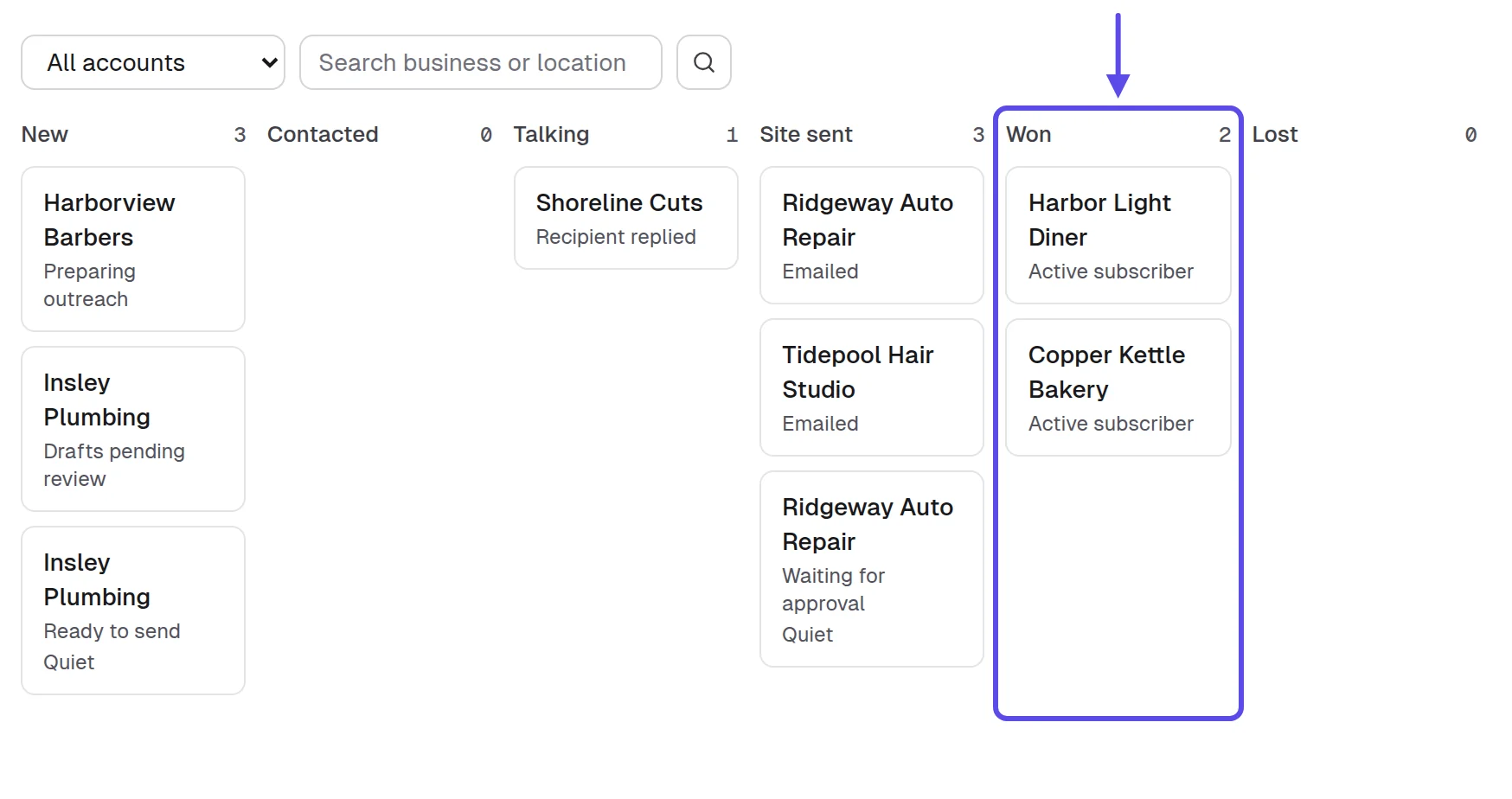
Messages from every client website's contact form arrive in one Inbox, so nothing gets lost across clients. The Pipeline keeps every business you're talking to by stage, from first contact to paying client. You can see at a glance who needs a call this week. When you have a question about the app, the guides and a help chat in the Help center answer it.
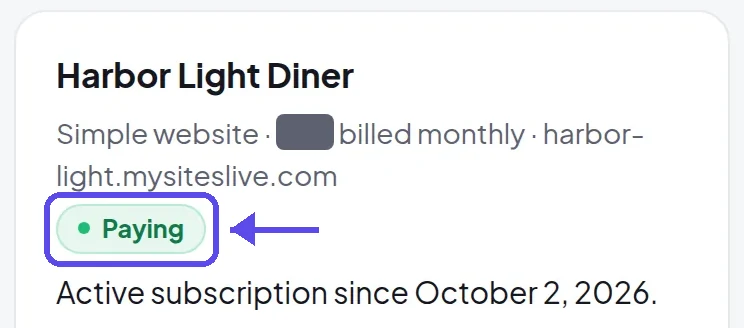
If a card payment fails, reminders go out in your name. The website stays online for 14 days while the card is retried. And ask every happy owner who else they know. Owners talk to each other. A word from the café next door does more than any email you could write.

After the website goes live, help the owner put the new address on their Google Business Profile. That way, the Website button on their listing points to the new site. Customers who find them in Google Maps then land on it, not on an old page or nothing at all.
- Call a week after the website goes live.
- Make the first change the same day.
- Check their messages reach the owner.
- Update the listing's website address.
- Ask who else they know.
Tip
Note each owner's busy season in your sheet. A short message a few weeks before it starts, offering to update the hours or add a notice, shows them you're looking after the website.
How to know it's working
Three numbers matter first, and two more fill in the picture. Track them in the Pipeline or a sheet. They aren't targets, and there's no right figure to hit. They're things to count, so you can see which step needs work.
- The reply rate: how many owners answer your first message or visit.
- The approval rate: how many owners who see their website approve it.
- The time to a first sale: days from your first search to a paying client.
- The follow-ups: how many replies came from the second message, not the first.
- The changes asked for: clients who ask for changes are clients who stay.
If replies are low, change the message or the business type, not the website. If owners see it and say no, change how you show it. If a sale takes weeks, follow up sooner. Change one thing at a time, so you know what made the difference.
Tip
Call a week after the website goes live, and again after a month. The first change you make quickly is what earns the next referral.
Frequently asked questions
Do I need to know how to code to sell websites?
No, AI builds the website from the business's details, and you change things by asking in plain words. The skill you need is selling: picking the right businesses, showing each owner their site on a phone and looking after the client every month.
Is selling websites still worth it when owners can use website builders?
Yes. Many owners could build their own site and don't, because they have no time or don't know what their customers look for. What they pay for is a finished website, care every month and someone local they can call when something needs to change.
Should I build the website before the business pays?
Yes, when the build takes minutes, not days, because the owner judges something finished and pays only after approving it. If they never approve, the website goes offline 30 days after it was built, so nothing stays up that they didn't agree to.
Is it legal to email local businesses about a website?
In the US, the CAN-SPAM Act allows commercial email that includes your physical postal address and a clear way to opt out, and opt-out requests must be honored within 10 business days. Other countries have their own rules, so check them before you email a business outside the US. 4
Who owns the website and the domain?
The business owns its domain and its content: its words, photos, logo, hours and prices. The website runs on your service with your name as the one who made it, not ours, and it stays live for as long as the business pays you monthly. The business can cancel at any time.
Should I target businesses with no website or an outdated one?
Both are worth your time. A business with no website has the bigger need, because it has nothing for customers to check. An owner with an old site already believes in having one, so a better version on their phone can be the shorter conversation.
How should I set my price for a website?
Charge a monthly price, not a one-time fee, set above your own costs and in line with what owners near you are quoted; when you set up your storefront, the app suggests a price for each business type and shows the lowest you can charge. For comparison, GoodFirms' survey of more than one hundred web development companies put a small business website build at $1,000 to $7,000. Our post on what to charge goes through how to pick your number for your type of business and your town. 6
Sources
- CX Dive, “Customers back up their initial searches for local businesses with reviews” (July 11, 2025), on a survey of more than 1,000 US consumers
- Rio SEO, 2025 Local Search Consumer Behavior Study (US consumers; Business Wire, May 21, 2025)
- Clutch, “83% of small businesses now have a website” (press release, August 21, 2025)
- Federal Trade Commission, CAN-SPAM Act: A Compliance Guide for Business
- Ironstone, Lead finder’s checks for partners, October 19 to November 6, 2026: 460 local businesses in 6 towns and 30 business types, from our own records read November 10, 2026
- GoodFirms, “Website Construction Costs & Timelines for 2024” (GlobeNewswire, February 9, 2024), a survey of more than one hundred web development companies