Restore an earlier version
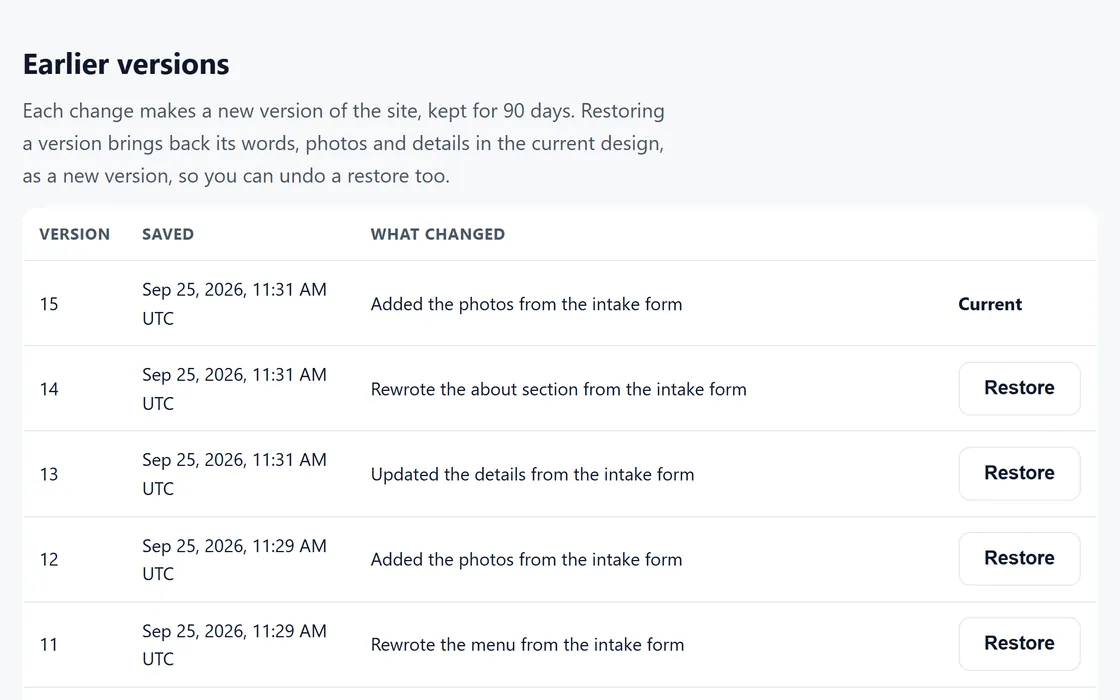
Each change to a site makes a new version, kept for 90 days, and any version comes back in one click.
Steps
- Open the site's page in your dashboard, or ask your client to sign in.
- Find the version under Earlier versions, where each change is described in plain words.
- Press Restore, and the site returns to that version.
A restore makes a new version, so you can undo it by restoring the version before it. A restore uses no AI credits.
Questions
The change I want is older than 90 days.
Versions are kept for 90 days, so an older version cannot come back.
The wrong version was restored.
Restore the version before the restore, and the site returns to where it was.
Related guides
Screens and businesses shown are fictional.
If you are still stuck, write to us, or see all 20 guides.