 Ironstone
What owners get quoted for a website varies widely. In GoodFirms' 2024 survey of more than 100 web development companies, a small business website cost $1,000 to $7,000. Clutch's 2026 pricing guide puts agency projects at $2,000 to $100,000. For a website you build with AI and look after, charge a monthly price that covers the website, its hosting and the changes the owner asks for, with an optional setup fee. This guide shows you how to set both, step by step.
Key facts
- In Ironstone's records, of the 56 businesses with a gap that Lead finder, our business lookup tool, showed partners between October 8 and November 17, 2026, 9 had no website on their listing, and the web addresses matching their name belonged to someone else (our own accounts left out). 3
- GoodFirms' survey of more than 100 web development companies found that a small business website costs $1,000–$7,000 and takes 1 to 12 weeks to set up. 1
- Web design companies shortlisted on Clutch charge $100–$149 an hour, according to Clutch's pricing guide (updated September 21, 2026). 2
- The Bureau of Labor Statistics puts the 2025 median pay of US web developers and digital designers at $47.85 per hour ($99,520 per year). 4
How much a small business website costs in 2026
A small business website is quoted at $1,000 to $7,000 for the build in GoodFirms' survey of more than one hundred web development companies, and agency projects run higher. The range is wide because the work behind a website varies a lot: a one-page site for a dog groomer is not an online shop with hundreds of products. The three published figures below show where small business prices sit. They're market quotes from surveys, not a number you have to match. 1
For a small business website, this is the price range in GoodFirms' survey of more than one hundred web development companies, which put the build at one to twelve weeks. That range is for a build delivered once, before any monthly care. 1
For a web design project with an agency, this is the typical range in Clutch's pricing guide. Clutch adds that most projects reviewed on its site sit near the bottom of that range, and the top is for large sites. 2
An hour, which is what the web design companies Clutch shortlists in the US typically charge, according to its pricing guide. An owner who has had a quote before is comparing you with numbers like these. 2
Those prices buy a build that takes weeks. The website you build with AI takes minutes, so you're not selling hours of design. You're selling a finished website the owner has already seen, kept current every month. That changes what you charge for. You charge for the care, the changes and being the person they call when something needs fixing.
Tip
Write down what owners tell you they were quoted before. After ten conversations, you'll know your local market better than any survey does.
Website pricing models compared
There are four common ways to price a small business website. The table compares what the owner pays, what it covers and who it suits. For a website you build with AI and look after, the monthly price fits best, with or without a setup fee.
| Model | What the owner pays | What it covers | Who it suits |
|---|---|---|---|
| One-time build fee | One larger payment at the start, then nothing until the next change | The build only; hosting, changes and fixes are billed again | Owners who want to own the job and run it themselves |
| Monthly price | The same amount every month, for as long as they keep it | The website, its hosting and the changes they ask for | Owners who want it handled and a person to call |
| Setup fee plus monthly | A one-time fee with the first payment, then the monthly price | Extra first-week work, such as photos or moving a domain | Businesses that need more setup than the build itself |
| Hourly rate | A rate for every hour worked, billed after the work | Whatever was asked for, with the total unknown in advance | One-off changes for an owner who already has a website |
Owners often find a monthly price easier to say yes to. It's small next to a build quote, and it's easy to plan around. It also keeps you in touch, so the website stays current. A one-time fee leaves the owner alone with a website that slowly goes out of date, and nobody to call when it does.
Tip
Pick one model for each business type and stick to it. Owners trust a price you say the same way every time.
Why a monthly price works for local businesses
A monthly price works because a local business's website changes with the business, and the monthly price pays for keeping it right. New hours, a holiday notice, a new service, a fresh price list: when those changes are part of the price, the owner asks for them, and the website stays current. Customers who find wrong hours online stop trusting the listing, and a website that's kept up to date avoids that.

- The owner plans for one known amount each month, not a surprise bill.
- Hosting, changes and fixes sit in one place, with one person to ask.
- The website stays current because asking costs nothing extra, so Oatmere Bakery sends its holiday hours instead of skipping them.
- You hear the business's news first, like Ridgeway Auto Repair adding a service, which helps you keep the client.
- The owner can stop at any time, which makes the first yes easier.
Here's the part many people miss. A monthly price also tells the owner you plan to stay. A stranger who builds a website and leaves is a risk to them. Someone who looks after it every month isn't. So say it out loud when you name the price: you'll be the one keeping it right.
How to set your website price in 7 steps
The seven steps below take you from your own costs to the price you say out loud. They fit into the wider method in our guide to selling AI websites to local businesses. Do them once for your first business type, then reuse them for the next.
1. Add up what each website costs you
Your price has to sit above your own costs, with room left for your time. Many partners skip this step. Months later, they find that one client costs more to keep than they thought. So write the costs down before you name any price. You'll use these numbers in every step after this one.
Count your plan, the Hosting each live website pays, and card processing on every payment. Add a domain if you buy one for the client, plus your phone and travel. Our pricing page lists what you pay us. Then divide your plan by the clients you expect, so each website carries its own share.
You can do this by hand. Make a sheet in Google Sheets with one row per cost and one column per client. Add a row for the minutes each client takes a month, and give those minutes a rate you're happy with. The sheet then shows the lowest price that still pays you for your time.
The Small Business Administration's guide to startup costs makes a good checklist for costs you forget. It covers things like insurance, software and a business license. Go down the list and add any that apply to you. Put each one in its own row.
- Your plan, divided by the clients you expect
- The Hosting each live website pays every month
- Card processing on every payment a client makes
- Any domain or tool you pay for on their behalf
- Travel and phone time for visits and calls
It worked if you can say the lowest monthly price that covers your costs for one website. You also know which costs grow with each new client and which stay the same.
Tip
The app shows the lowest price you can charge for a website. Your own sheet adds your time on top of it.
2. Count the minutes each client takes
The build takes minutes. The client takes time every month. A change to the hours, a check-in call, a question about the domain, a new photo for the gallery. These minutes are what the monthly price pays for, so count them. Each one is small. Together, they're the real work you're paid for.
Here's the twist many people miss. A new client takes the most time in the first few weeks. The owner asks for lots of small changes early on. After that, it drops to a few a month. So price for the usual month, and put that early work in your setup fee instead. Your monthly price stays fair, and the busy start is covered.
Do this by hand for your first three clients. Each time there's a change, call or message, write down the minutes. Put the date and the minutes in a column of your sheet. After a month, you'll have a real number instead of a guess.
- Minutes for changes the owner asks for
- A short check-in call once a month
- Answering messages and questions about the website
- Seasonal updates such as holiday hours
- The extra time a new client takes at first
It worked when you know the minutes a usual client takes each month. Your price pays for those minutes at a rate you're happy with, and you can show the math in your sheet.
Tip
Round the minutes up, not down, when you write them in. Small tasks like finding a photo or reading an email take longer than they feel.
3. Check what owners are quoted nearby
Owners compare. If they were quoted a big build fee last year, your monthly price looks small next to it. If a nephew offered to do it as a favor, they're comparing you with nothing at all. Know which comparison you face before you name a number. It changes how you explain the price.
Do this by hand. Search "web design near [your town]" in Google Maps. Open the local designers' websites and note the ones that list prices, packages or monthly care plans. Put the numbers in your sheet with the date. Many hide their prices, and that's useful too. A clear price stands out.
The Small Business Administration has a page on market research and competitive analysis. It lists more ways to see what others charge, such as industry reports and local business groups. Use it when your town has few designers who show prices.
The twist is to ask owners yourself. Ask whether they've had a website quote before. Their answer tells you what they expect, and what they didn't like about it. Owners remember a quote that felt too high, or a designer who disappeared. Hear that, and you know what to say differently.
- Five local designers' prices or packages, with the date
- What owners say they were quoted before
- Which of them include monthly care and changes
- Whether anyone nearby shows a monthly price at all
- The survey ranges above as a wider check
It worked when you can say in one sentence where your price sits against what owners in your town are quoted. You can also say why, in words an owner would understand.
Tip
You don't have to be the cheapest; you have to be the clearest. One price that covers everything beats a long list of extras.
4. Work out what one customer is worth to the business
An owner doesn't buy a website. They buy the customers it brings in. A roofer's one new job and a café's new regular are worth very different amounts. The more one new customer is worth to the business, the easier your price is to accept. That's why this step comes before you set the number.

This is called value-based pricing. The price follows what the result is worth to the buyer, not only your costs. It's also the best answer to why a small business needs a website at all: new customers who find it. But ask the owner what that's worth. Never guess it for them.
Here's the twist. Ask the owner what an average job or order is worth to them. Then ask how many new customers a month would make a difference. Let them say the number. Never say it for them, and never promise them customers.
Questions to ask
When a new customer finds you, tell me what a usual job is worth to you.
Tell me how many new customers a month would make a real difference for you.
- The owner says what a usual job is worth
- You know how customers find them today
- You know what the website must do for them
- You never promise a number of customers
- The price feels small next to one good job
It worked when the owner tells you, in their own words, what one new customer is worth to them. Your monthly price then sounds small next to that number, and you didn't have to say so.
Tip
Ask the question with real interest, not as a setup for your price. Owners can tell the difference, and an honest question gets an honest answer.
5. Decide what the monthly price includes
Owners say no to a price they can't picture. So list what they get each month in plain words they could repeat to their business partner. A clear list also stops "can you also" from turning into unpaid work. When a request isn't on the list, you both know it's quoted on its own.
- The website itself, live at its address and working on phones
- Hosting, so the owner never pays a separate bill for it
- Changes they ask for in plain words, such as new hours or photos
- Messages from the website's contact form, sent to the owner
- A short check-in each month to keep hours and prices current
- What isn't included, such as new pages for a second location
Do this by hand. Write the list on one page in Google Docs: the monthly price, what's included, the setup fee if there is one, and how to cancel. Save it as a file you can send after every visit. An owner keeps a page. They forget a conversation.
The twist is to say what happens if they leave. Owners worry about being stuck. Tell them how you'd hand over the website, and that their domain stays theirs. Once that worry is gone, the price is easier to accept. Say it before they ask.
A one-page price sheet
Website care for [Business name], from [Your business name]
Your monthly price: [your monthly price], billed by card each month
Setup fee: [your setup fee], once, with the first payment, or none
What's included: your website, its hosting, the changes you ask for, messages from your contact form and a check-in each month.
Not included: new pages for another location or an online shop, which I'd quote on their own.
You can cancel at any time, and your domain stays yours.
[Your full name], [Your business name], [your phone number], [your mailing address]
- The list fits on one page
- Every item is something the owner can picture
- It says what is not included
- It says how they can cancel
- It says the domain stays theirs
Tip
Read the list out loud to a friend before you show it to an owner. Any line they ask about needs plainer words.
6. Decide on a setup fee
A setup fee pays for first-week work beyond the build: a visit to take photos, help moving a domain, or collecting a menu or price list. To set the amount, list each task and count the minutes it takes. Add your travel time for the photo visit, then price those minutes at the rate you worked out in step 2. Name what it covers every time you say it, so it never feels like a charge for nothing.

In our app, the setup fee is optional. You set it for each client, at any amount you choose or none. It's charged with the first payment, when the owner approves the website. The owner sees it on the payment page and again on the receipt, so nothing comes as a surprise.
Here's the twist. Some owners say yes faster with no setup fee and a slightly higher monthly price. Others prefer the reverse. Try both on your first clients of one type. Then keep the one that gets more yeses, and use it for that type from then on.
Explaining the setup fee
The setup fee is [your setup fee], charged once with your first payment. It covers the photo visit and moving your domain. After that, it's [your monthly price] a month and nothing else.
- The setup fee covers named first-week work
- It is charged once, with the first payment
- The owner sees it before they pay
- You can drop it for a business that needs nothing extra
- You use one approach for each business type
It worked when owners ask what the setup fee covers and nod at your answer. They don't ask you to drop it, because they can see the work it pays for.
Tip
Write what the setup fee covers on the same page as the monthly price. Then the owner reads both together and never wonders what the extra charge is for.
7. Put your price in the app
When you set up your storefront, you set the monthly price you charge a business for a website. We suggest a price for the business type and show the lowest price you can charge. You can change it for each website, so a bigger job can carry a higher price. Your price, your profit.

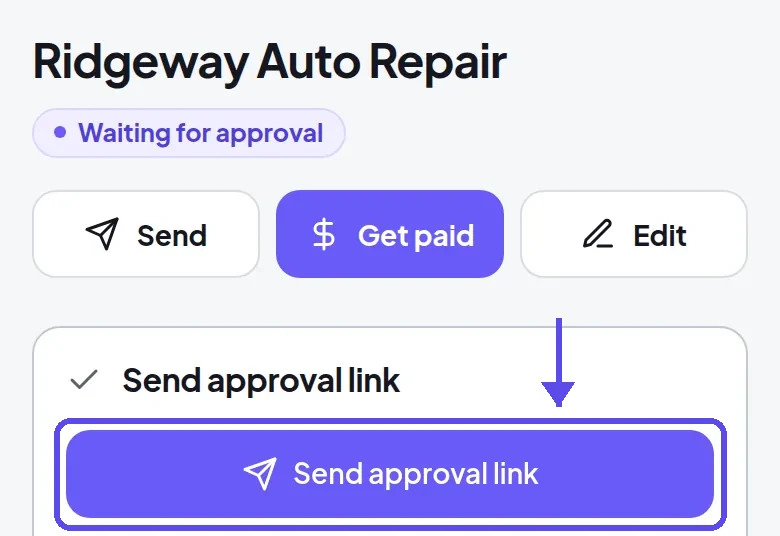
When the owner says yes, you send the approval link from the website's page in the app. It opens a secure card payment page in your name, with your monthly price and any setup fee. When they pay, the website goes live at its address in a few minutes.
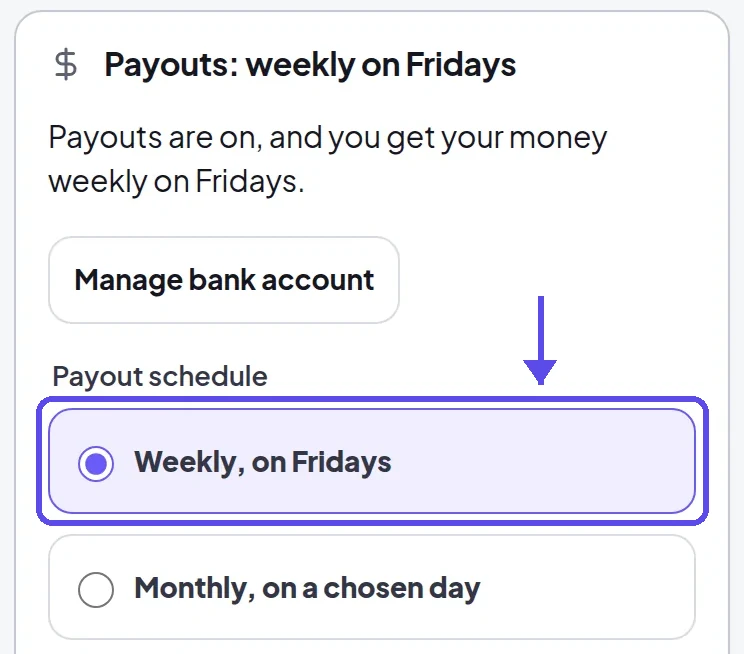
You can change your prices at any time under Storefront, Your pricing. Clients who already pay keep their price, and new prices are for new clients. Your money reaches your bank weekly on Fridays, or monthly on a day you choose.
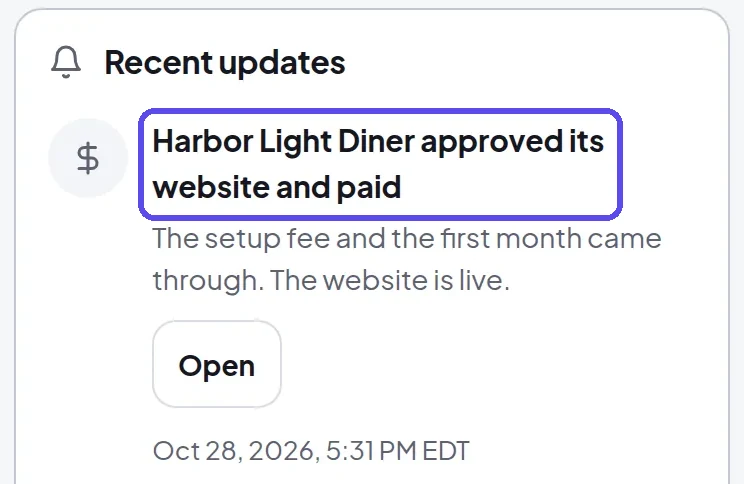
- Your monthly price is set in your storefront
- It sits above the lowest price the app shows
- The setup fee is set for this client, or none
- The approval page shows the price you said
- Your bank is connected before you send the link
You'll know it worked when the approval page shows the exact price you told the owner. Then the first payment reaches your bank on the day you chose, either weekly on Fridays or monthly.
Tip
Say your price out loud a few times before your first visit, in the exact words you'll use. When the approval page shows the same number, the owner hears and sees one price.
How to say your price to an owner
Say the price after the owner has seen the website and liked something on it. Never say it before. Say it once, with what it covers in one sentence, then stop talking. The silence feels long. But the owner is thinking, not saying no, so let them think.
Saying the price
It's [your monthly price] a month, and that covers the website, its hosting and any change you ask for. You can cancel any month.
If the owner wants to think it over, offer a short call on a day that suits them. A link from Calendly lets them pick ten minutes that work. A booked call beats "I'll get back to you." Send the link before you leave.
The price by email
Subject: [Business name]: your website and its monthly price
Hi [Owner name],
Thanks for looking at the website I made for [Business name]. Here's the link again: [Website link]
It's [your monthly price] a month for the website, its hosting and changes, with a one-time setup fee of [your setup fee]. You can cancel at any time.
If you're happy with it, reply yes and I'll send you the approval link.
If it isn't for you, reply "no thanks" and I won't write again.
[Your full name], [Your business name], [your mailing address]
A text after the visit
Hi, this is [Your full name] from [Your business name], [your phone number], [your address]. Thanks for looking at the website for [Business name] today. Here's the link: [Website link] It's [your monthly price] a month, with changes included. Happy to change anything first. Reply STOP to opt out.
When it sounds expensive
I understand, and it's fair to weigh it. Think about what one new customer is worth to you. The monthly price covers the website, its hosting and every change, so there's no other bill. And you can cancel at any time.
When they ask for a discount
I keep the same price for every business, so it stays fair to everyone. If you'd like a smaller website with fewer pages, I can do that for [your lower price] a month. Or I can skip the setup fee if you send your own photos.
A follow-up after a week
Subject: Re: your website and monthly price
I'm checking in about the website for [Business name]. The link [Website link] and the price of [your monthly price] a month still stand, and I'm happy to change anything first.
If it's not for you, reply "no thanks" and this is the last message you'll get from me.
[Your full name], [Your business name], [your mailing address]
Tip
Change what's included before you change the price. A price you cut once is hard to raise later.
What changes the price of a website
The price moves with more pages, who supplies the words and photos, booking or ordering, the changes expected each month, photo visits, domain moves and seasonal hours. Each one takes more of your time, either at the start or every month, and your price should show that. The same steps then give a higher or lower price for each job.
- More pages, such as services, a menu or several locations, to keep current
- Who supplies the words and photos: the owner, or you from what they published
- Booking, ordering or forms that customers use every day
- How many changes a month the owner expects
- A visit to take photos of the work, the shop or the team
- Help moving a domain the owner bought years ago
- A business with seasonal hours or prices that change often
To turn these into a number, count the extra minutes each one adds, like a weekly menu change, and price them at your step-2 rate. One-time work, like a domain move, goes into the setup fee instead. The twist is to price by business type, not by business. Every plumber gets the same price for the same website. A restaurant with a menu that changes weekly gets a higher one. Owners talk to each other, and one fair price for a type is easy to defend.

When to raise your price
Review your price after your first five clients, using the minutes you counted in step 2. If every owner says yes right away, the price is probably low. If many say no after liking the website, look at how you say it before you lower it. To raise it, size the step from those minutes. Add enough to pay for any time the old price didn't cover, then round up to a number you'd say calmly out loud. Offer it to the next five owners of one type, like plumbers. If they say yes about as often as your first five did, keep it. If fewer say yes, go back.
In our app, new prices apply to new clients. Clients who already pay keep the price they agreed to. So you can raise your price for the next business without a hard conversation with the ones you have. The note below lets them know.
A new price for new clients
Subject: A note on prices from [Your business name]
Hi [Owner name],
A short note that my prices for new websites change on [date]. Your own price stays the same.
If a friend or neighbor wants a website before then, they can still have the current price.
Reply "no updates" and I won't send notes like this again.
[Your full name], [Your business name], [your mailing address]
How to know your price is working
A few numbers tell you whether your price is working. Track them in the Pipeline or in a sheet. These aren't targets to hit. They're things to count, so you can see what to change and when. Look at them once a month, next to the minutes in your sheet.
- The yes rate: how many owners who see their website approve it at your price
- The price questions: how often owners ask about price before anything else
- The minutes a month each client really takes, against what you planned
- The cancellations: how many clients stop in their first three months
- The referrals: how many new clients come from a happy owner
If owners like the website and still say no, practice how you say the price. If no one sees the website, the price isn't the problem. Our guide on how to find your first clients faster is the place to start.
Frequently asked questions
How much should I charge a small business for a website?
Charge a monthly price that covers your costs, your minutes each month and what a new customer is worth to the business, plus an optional setup fee. For comparison, GoodFirms' 2024 survey put a small business website at $1,000 to $7,000 as a one-time build. That helps you show how a monthly price compares. 1
Should I charge monthly or a one-time fee for a website?
Charge monthly for a website you look after. Many owners find it easier to say yes to, it includes hosting and changes, and it keeps you in touch with the business. You can add a one-time setup fee on top when there's first-week work, such as photos or moving a domain.
What should a monthly website fee include?
It should cover the website, its hosting, changes the owner asks for in plain words and messages from the contact form. It should also keep hours and prices current. Say clearly what isn't included, such as new pages for a second location, so nobody is surprised later.
How much do agencies charge for a small business website?
Clutch's 2026 pricing guide puts agency web design projects at $2,000 to $100,000. It adds that most projects reviewed on Clutch come in under $10,000. US agencies shortlisted by Clutch typically charge $100 to $149 an hour. An owner who has had a quote before is often comparing you with numbers like these. 2
Should I charge a setup fee for a website?
Charge one when there's real first-week work, such as a photo visit or moving a domain, and name what it covers. Leave it out when the owner sends everything you need and the website needs nothing extra. A clear reason makes the fee easier to accept.
Can I raise a client's price later?
In our app, clients who already pay keep the price they agreed to, and a new price applies only to new clients. Review your price after your first five clients, using the minutes you counted, and set any new price for the next business you sign.
What are my costs as a partner?
Your costs are your plan, the Hosting each live website pays every month and card processing on each payment a client makes. Our pricing page lists each one, so you can add them to your sheet and see the lowest price that covers them.
Sources
- GoodFirms, “Website Construction Costs & Timelines for 2024” (GlobeNewswire, February 9, 2024), a survey of more than 100 web development companies
- Clutch, Web Design Company Pricing Guide 2026 (updated September 21, 2026)
- Ironstone, Lead finder’s searches and results for partners (our own accounts left out), October 8 to November 17, 2026, from our own records read November 20, 2026
- US Bureau of Labor Statistics, Occupational Outlook Handbook, “Web Developers and Digital Designers” (2025 data)