Your client connects their domain
Your client connects their own domain from their login, with one record at their domain provider.
Steps
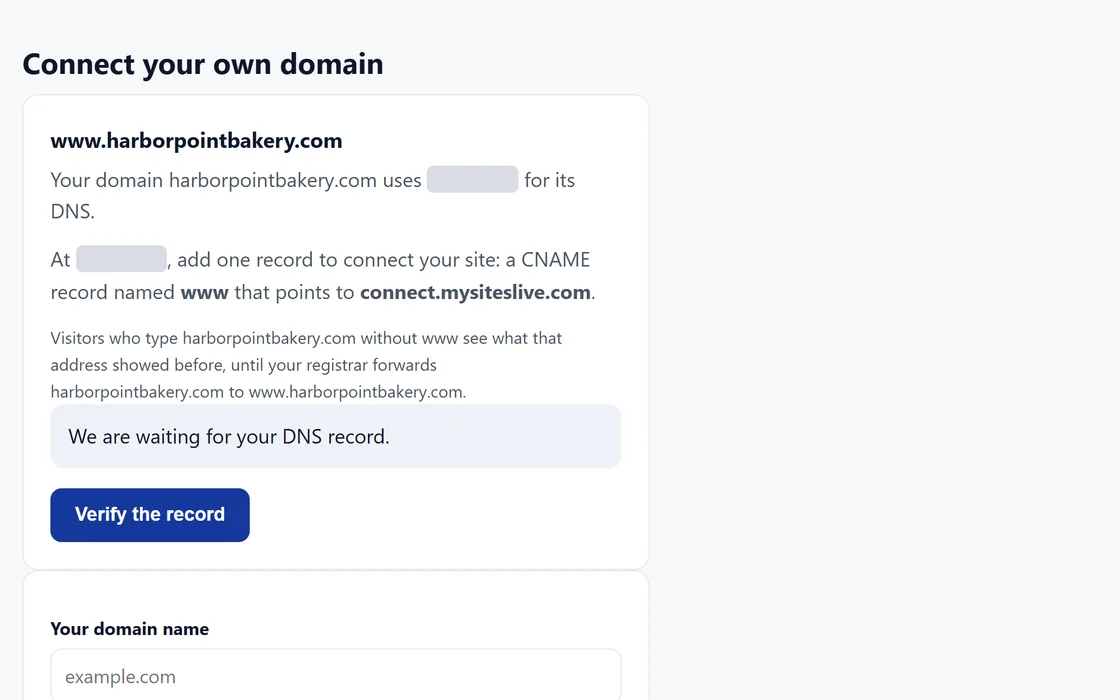
- Your client enters the domain in their login.
- The page shows the one record to add, and names the provider that runs the domain.
- They add the record at their domain provider.
- They press Verify, and the page shows each stage until the domain is live with a secure connection.
Your client remains the registered owner of their domain. The site connects once your client has approved it.
Questions
What is the record?
A CNAME record, usually named www, that points to connect.mysiteslive.com. The login shows the exact values for each domain.
Verify stays pending.
A new record can take a while to reach every part of the internet. Check the record against the login, then press Verify again later.
What shows at the address without www?
When your client connects the www address, the address without www keeps showing what it showed before, often a parking page from their registrar, until they forward it. Once their registrar forwards it to the www address, visitors who type either address reach the site. Their login says the same beside the record.
Can the site answer without www?
Yes, where their DNS host accepts a record on the bare domain: their login shows that record, and the site then answers on the bare domain. At other DNS hosts, the site connects on www, and their registrar forwards the bare domain to it.
How can I help a client who is stuck?
Ask for a screenshot of the record at their provider, and compare it with the values in their login.
Related guides
Screens and businesses shown are fictional.
If you are still stuck, write to us, or see all 20 guides.