How to hand a finished site to a client
A clear handover starts a long client relationship well. This guide takes you from the check before approval to the email you send at the end, in the order you do them.
On this page
Check before approval
Before you ask for approval, go through the preview on your own:
- The name, phone number, address and hours on every page.
- Every link and button, including the order or booking link.
- The contact form, with a test message to your dashboard.
- Every line of text, read aloud once.
Confirm anything unclear with the client, then ask for approval.
The approval
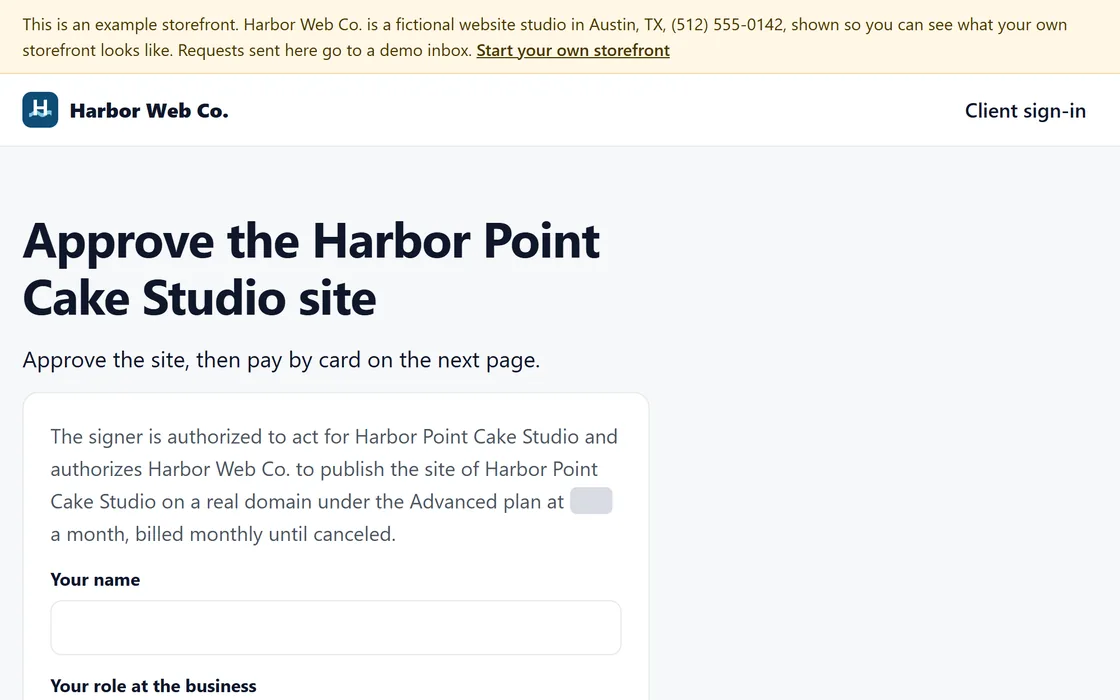
A site stays a preview until the business approves it, on the preview or in the client's login. The approval records the signer’s name, their role and the date.
The first payment
Your client pays your monthly price on your storefront, with you as the merchant. Each payment appears on your dashboard, and your share reaches your bank every week, or every business day on the Agency plan. The payments guide shows the checkout.
The client's domain
Once the site is approved, the client's login shows how to connect their own domain, and names the company that runs it: one record there, then a Verify button. The domain guide covers each step.
The client's login
Your clients sign in on your storefront with a link sent to their email address, so they have no password to keep. From their login, a client can:
- Describe a change in plain words.
- Change the headline.
- Replace a photo.
- Restore an earlier version.
Have them make one change while you are with them.
Check the site together
Open the live site on the client's phone and on a computer. Check the name, the phone number, the address and the hours with the client, and correct anything that has changed since the preview.
The handover email
Send one email that holds everything the client needs. Copy this one and complete the parts in brackets:
Subject: Your new website is live
Hello [first name], your website is live at [site address].
To make a change, sign in at [your storefront address] with your email address. You can describe a change in plain words, change the headline or replace a photo, or reply to this email for anything else.
Each month you receive a short report on your visits, calls and messages, and I reply to every email within [one business day].
[Your name], [your business name], [your phone number]
After the handover
Each month, the business receives a report in your name on its visits, calls and messages. Read it before your client does, and when the client is happy, ask whether you may show the site to the next business you visit.
Questions
The client cannot find where the domain was bought.
Ask them to enter the domain in their login, which names the company that runs it. The receipt in their email names the company that sold it.
What can the client change without me?
Any text, by describing the change in plain words, the headline and any photo. They can also restore an earlier version.
What if the client changes their mind soon after paying?
A full refund within 30 days of the first payment takes one click from your dashboard.