Refund a client
A full refund within 30 days of the first payment takes one click.
Steps
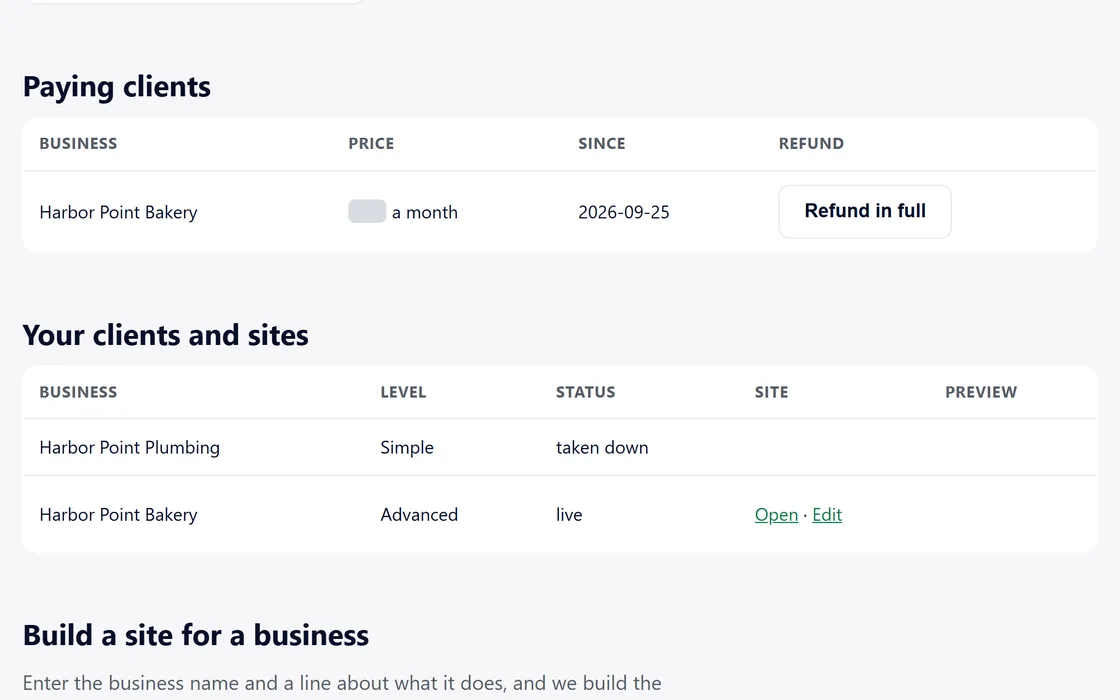
- Find the client in the paying clients table on your dashboard.
- Press Refund in full, which is available for 30 days after the first payment.
- Your client receives the full payment back, their monthly plan ends, and we return our fee.
After 30 days, the button reads Closed after 30 days.
Questions
Does my client lose the site?
No. The site stays live, and its monthly site fee returns to your account.
Can I refund part of a payment?
The button refunds the first payment in full, within 30 days.
Related guides
Screens and businesses shown are fictional.
If you are still stuck, write to us, or see all 20 guides.