How to present a website to a restaurant owner
Restaurant owners are busy, and they judge a website by whether it helps a guest decide to come in or to order. This guide shows you how to prepare, what to ask, what to show and how to answer.
On this page
Before the visit
Look at the restaurant's map listing, its menu photos, its reviews and any ordering page, and note what a guest cannot find today. Then build the preview and check it on your phone:
- The name, the address, the phone number and the hours.
- The menu, as the restaurant serves it now.
- The order or booking button, pointing where the restaurant takes orders today.
Visit between the lunch and dinner rush, or call ahead and ask when the owner has a few minutes to look at a phone.
Ask before you show
Start with a few questions, and listen to the answers:
- Ask what guests call about most often.
- Ask what the owner wants more of: orders, bookings or catering.
- Ask where guests find the menu today.
Each answer tells you which part of the preview to show first.
Walk through the preview
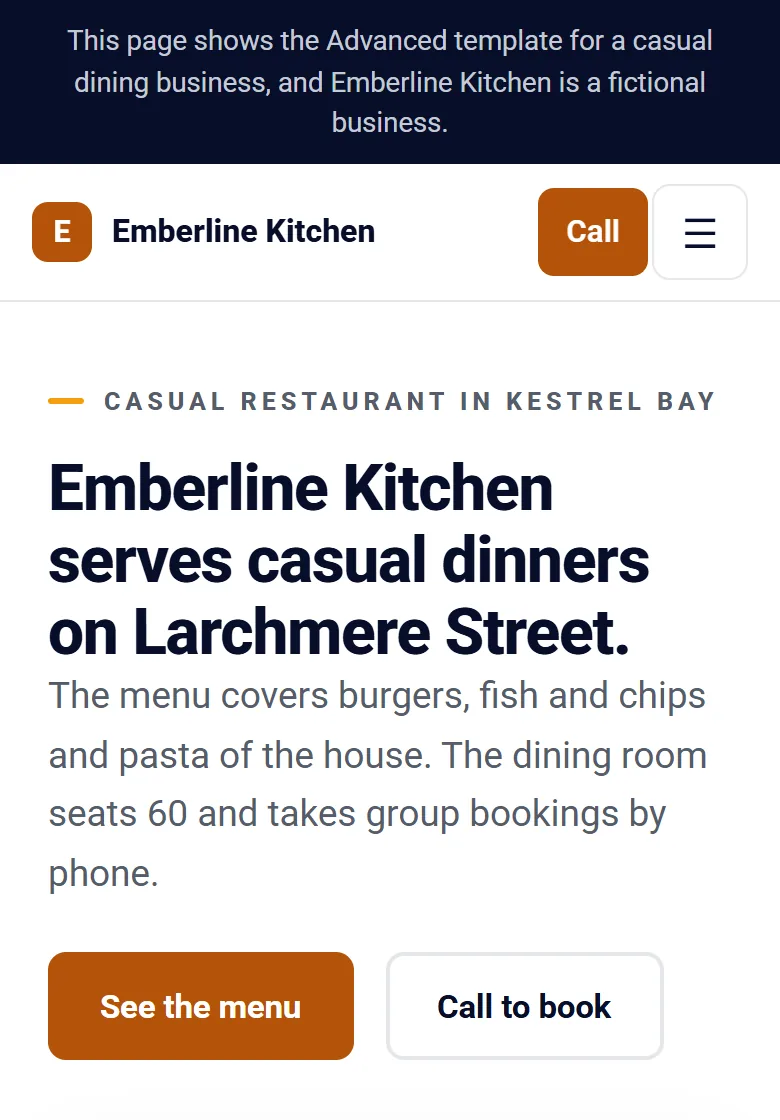
Show the preview on your phone from the top down, with one plain sentence for each part:
- The top. “This is what a guest sees first: your name, a button to call and the way to your menu.”
- The menu. “Your full menu. To change a dish, you describe the change in plain words.”
- Hours and address. “Your hours for every day, and directions one tap away.”
- The contact form. “Messages from guests reach your inbox.”
Then hand the phone to the owner, and ask what they think before you talk about price.
What the owner may say
- “We have a social page.” The site puts the menu, the hours and ordering in one place the owner controls, and the social page can link to it.
- “We use the delivery apps.” The order button can point to the ordering the restaurant already uses.
- “Someone already does our website.” Thank the owner and leave. That restaurant already has help.
The next steps
Tell the owner the monthly price, that the plan is billed monthly and can be canceled at any time, and how the site goes live on the restaurant's own domain.
Leave the preview link. After the dinner rush, the owner can comment on any part and approve it from the same page.
Respect the answer
If the owner declines, thank them and leave. The preview has a button that takes it down at once, and it ends after 30 days. Read the protections built into your account before your first visit.
Questions
Should I email the preview instead of visiting?
A visit lets you ask your questions and watch the owner scroll. Send the link after the conversation, so the owner can look again later.
What if a detail on the preview is wrong?
Change it before the visit by describing the change in plain words, or note it and change it with the owner beside you.
Can the owner take the preview down?
Yes. The notice on the preview has a button that takes it down at once.