Take down a preview
A preview comes down with one click, from your dashboard or by the business itself.
Steps
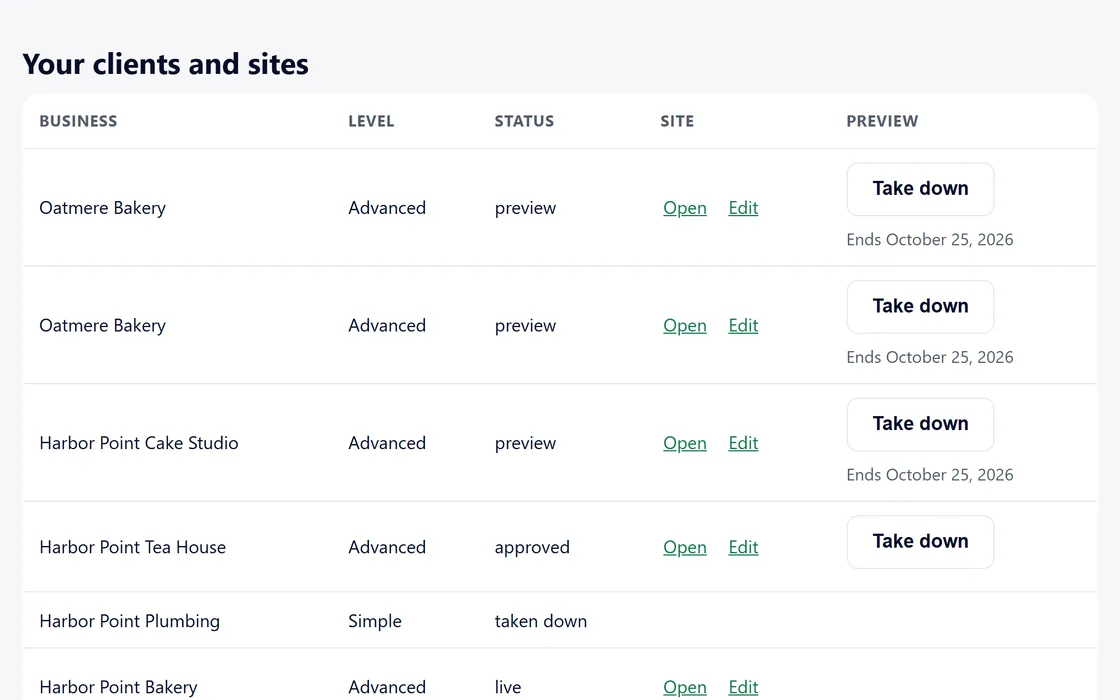
- Press Take down on the dashboard row, or the business presses the button on the preview itself.
- The address shows a notice straight away.
- We delete the preview files from storage, and your dashboard shows the site as taken down.
Every preview stays online for 30 days unless it is taken down sooner.
Questions
Can I bring a preview back?
No. The files are deleted. A new build starts a new preview with its own address.
The business took it down.
Your dashboard shows the site as taken down, and its address shows the notice.
Related guides
Screens and businesses shown are fictional.
If you are still stuck, write to us, or see all 20 guides.