Cancel your plan
You can cancel your plan online from Settings, Billing, and every client site stays live.
Steps
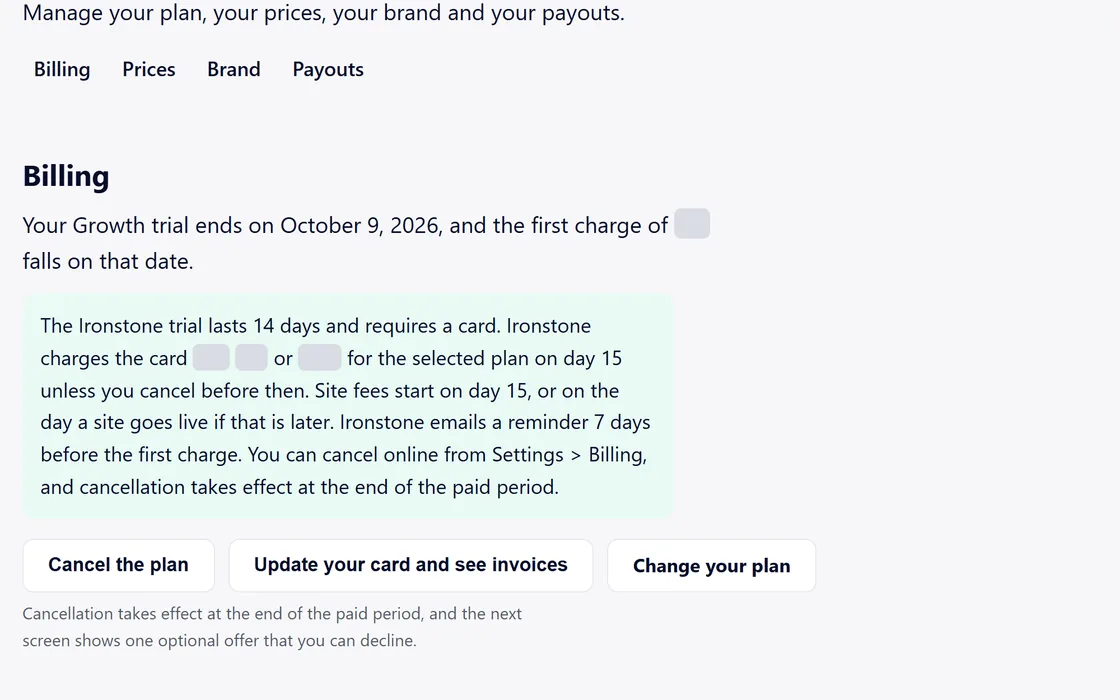
- Open Settings from your dashboard menu and go to Billing.
- Press Cancel the plan.
- The next screen shows one optional offer, which you can decline.
- Your plan ends at the end of the paid period, and your storefront moves to the Free plan.
During a trial, we email you a reminder 7 days before the first charge, with the same cancel link.
Questions
What happens to my clients' sites?
Every client site stays live after you cancel.
Related guides
Screens and businesses shown are fictional.
If you are still stuck, write to us, or see all 20 guides.