Choose a plan
Every paid plan starts with a 14-day trial with a card on file. The pricing page lists each plan and its price.
Choose it
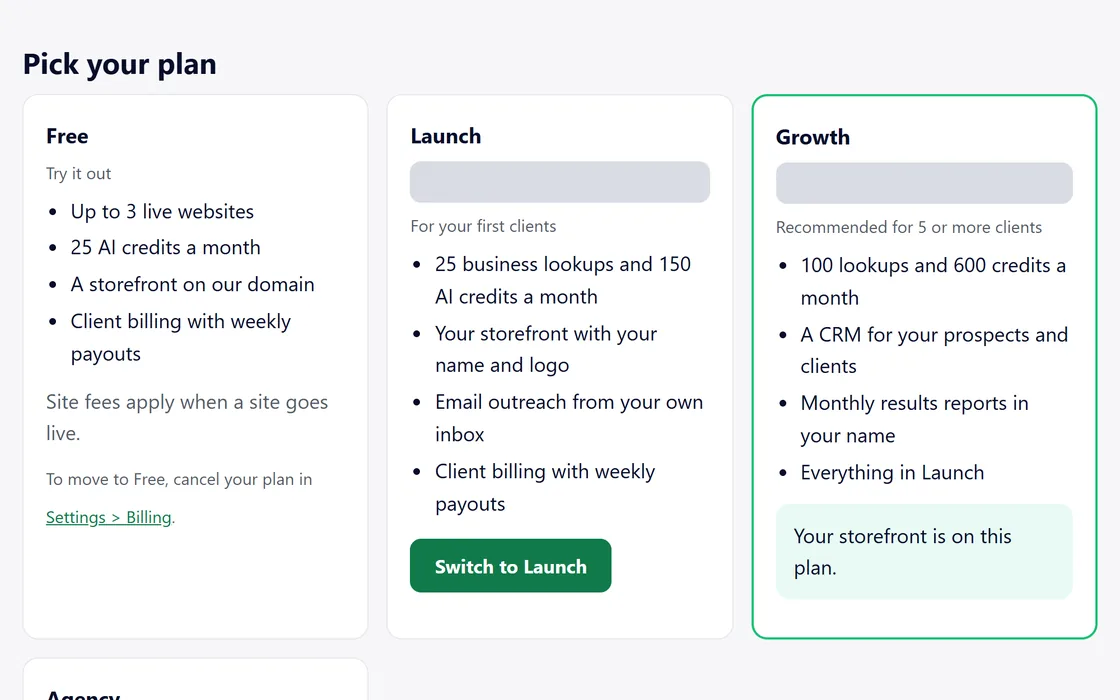
- Open Plans from your dashboard menu and choose a plan.
- Review the price, the billing period, the trial end date and the date of the first charge.
- Tick the consent box, which is never ticked for you, and continue to checkout.
- Add your card, and your trial begins.
We email you a reminder 7 days before the first charge.
Change your plan
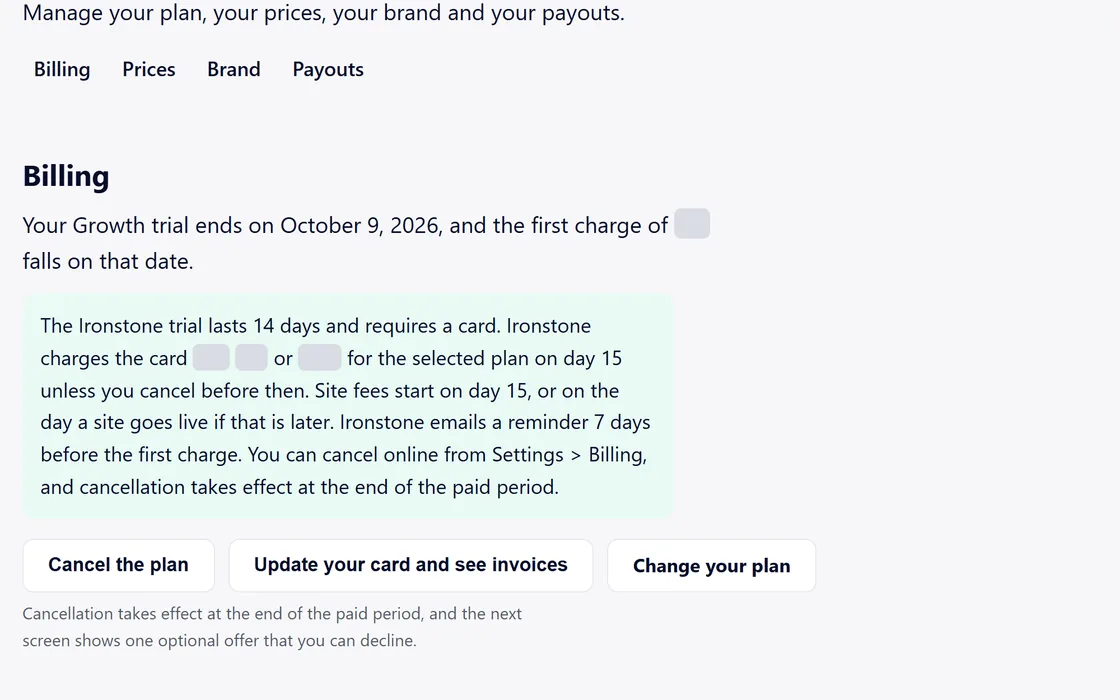
- Open Plans and choose another plan.
- An upgrade takes effect at once.
- A downgrade takes effect at the end of the billing period.
Settings, Billing shows your plan and the date of the next charge.
Questions
When is the first charge?
The day after your 14-day trial ends, unless you cancel before then. The review screen shows the date.
My card was declined at checkout.
Checkout says so at once. Try another card, or ask your bank to allow the payment.
Related guides
Screens and businesses shown are fictional.
If you are still stuck, write to us, or see all 20 guides.