Read your replies
Replies appear in your Outreach tab within the hour, already sorted.
Steps
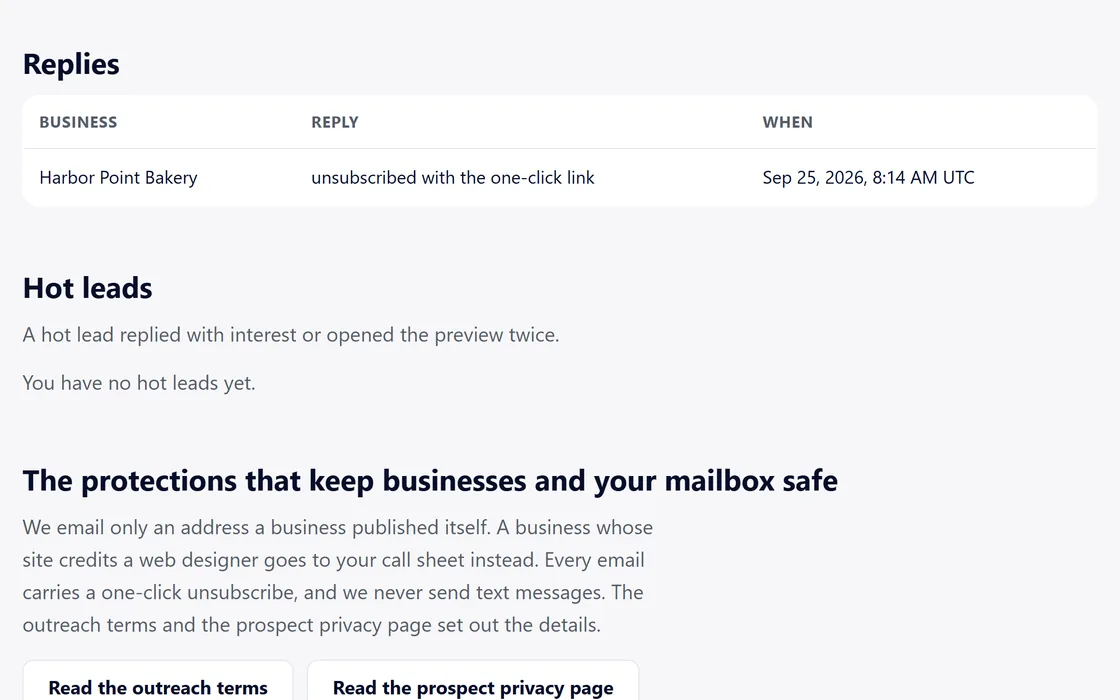
- Open the Replies section of the Outreach tab.
- An interested reply moves the business to Hot leads.
- A request to stop adds the address to your do-not-email list.
- Any reply ends the follow-ups for that business.
A business that opens your preview twice also moves to Hot leads.
Questions
A reply I expected is missing.
Replies appear within the hour. Check that your mailbox still shows as verified on the Outreach tab.
A business asked to stop.
Its address is on your do-not-email list, and no further email goes to it.
Related guides
Screens and businesses shown are fictional.
If you are still stuck, write to us, or see all 20 guides.