Find businesses that need a website
Search a town for a type of business, and the lookup lists the local businesses with no website, a broken one or one that is out of date.
Search a town
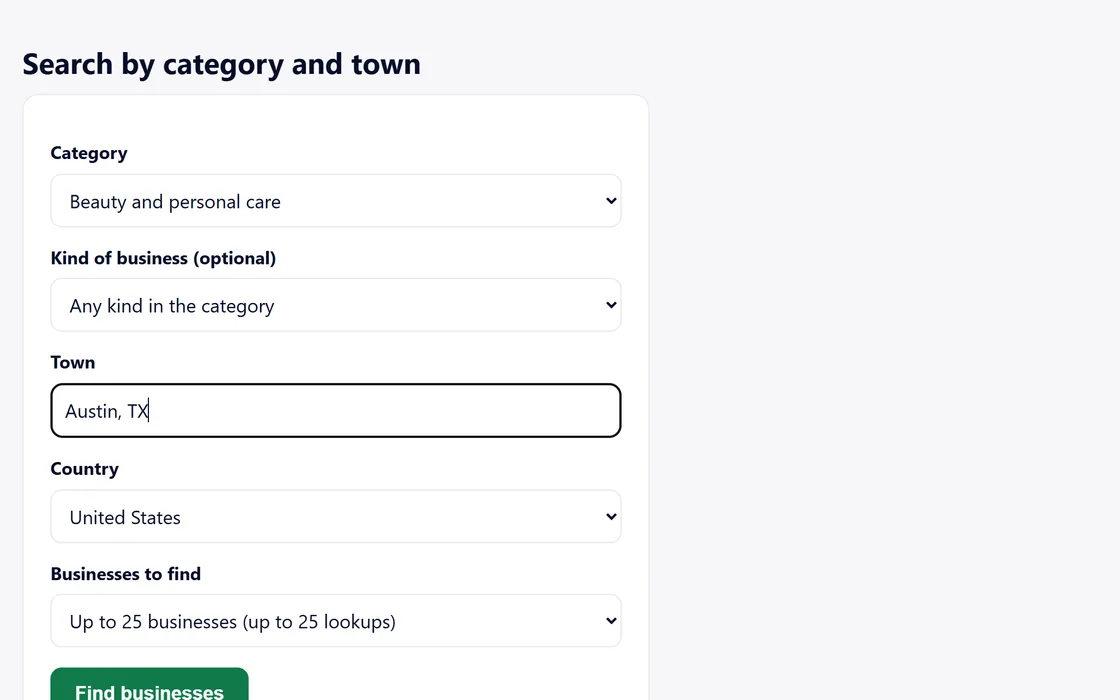
- Open Lookups from your dashboard menu.
- Choose a category, and a kind of business if you want one.
- Enter a town, and choose the country.
- Choose up to 10, 25 or 50 businesses, and press Find businesses.
Each business you find uses one lookup, once a month. Finding the same business again that month uses none.
Read the results
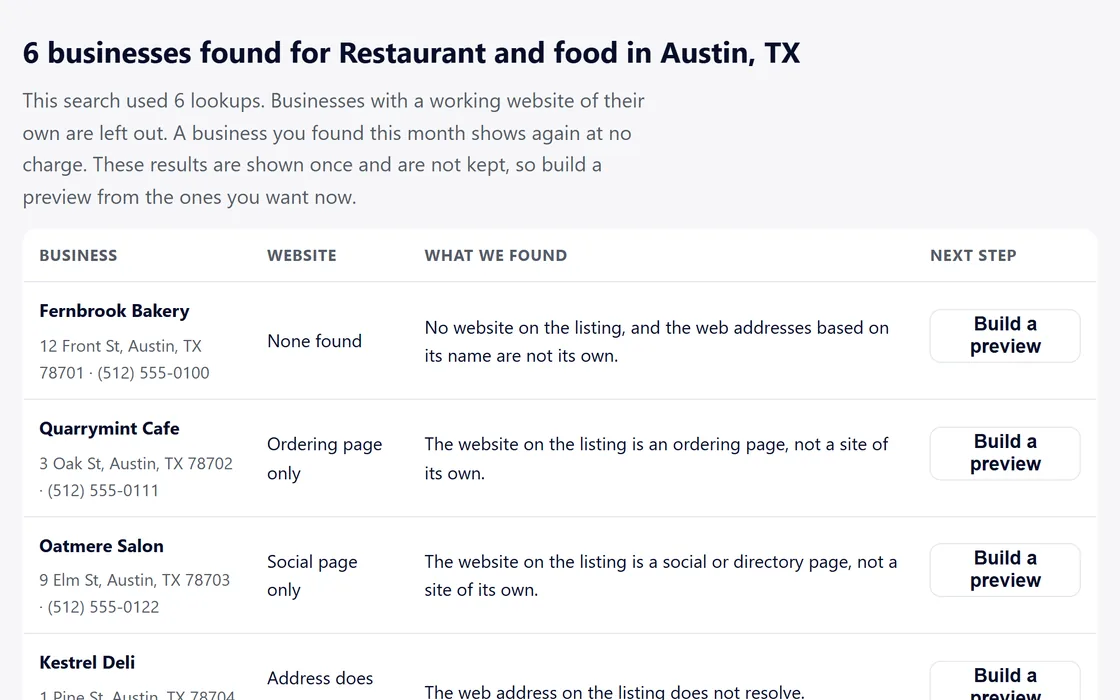
- Each result shows the business, its address and its phone number.
- The Website column names what the check found: None found, Ordering page only, Social page only, Address does not resolve, Certificate error, Parking page or Outdated.
- What we found says it in a sentence you can repeat to the owner.
- Press Build a preview beside a business, confirm its details, and the preview is built.
The results appear once, so build previews from the ones you want before you leave the page.
Export your call sheet
- In towns where the lookup also reads public records, the businesses it finds there form your call sheet under the results.
- Press Export the call sheet as CSV, and your browser saves the file.
- The file has seven columns: Business, Kind, City, Website, What we found, Record and Checked.
The export uses no lookups, and it lists only the businesses you have found this month.
Questions
Why are there so few results?
Chains, closed businesses and businesses with a working, current website of their own are left out. Try a nearby town or another category.
How many lookups do I have?
Your Lookups page shows the lookups included this month, any packs, and how many are left.
Can I keep the results?
Build a preview from each business you want while the results are open. The call sheet, where there is one, downloads as a file.
Related guides
Screens and businesses shown are fictional.
If you are still stuck, write to us, or see all 20 guides.